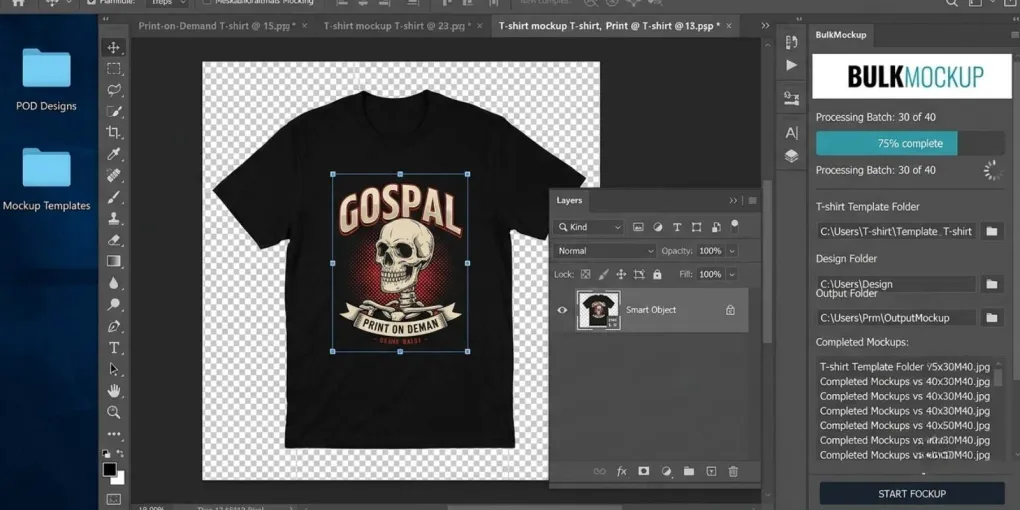
BulkMockup Review (2026): Photoshop Batch Mockups, Limits & Fit
Last checked: 23 August 2026. This is a documentation-based analysis of BulkMockup’s published product pages and help guides. It is not a hands-on test. Check the current Gumroad offer and product documentation before purchasing.
The short answer: BulkMockup fits a Photoshop Smart Object workflow
BulkMockup is a Photoshop plugin for creating mockup images in batches. Its published documentation describes a workflow that replaces Smart Object contents, applies chosen resize and alignment settings, and exports the resulting mockups into organized folders.
For a print-on-demand seller, the main question is not simply whether you need more mockups. It is whether you already work with Adobe Photoshop CC 2022 or newer and have mockup templates in PSD format with editable Smart Object layers. BulkMockup’s prerequisite guide says a flat JPG mockup does not work with the plugin.
If your files meet those conditions, BulkMockup is designed to reduce the repeated Photoshop steps involved in changing artwork across a batch of compatible templates. If you use flat images, do not use Photoshop, or need to create a compatible PSD template first, solve that workflow issue before treating a batch plugin as the next purchase.
What BulkMockup is documented to automate
BulkMockup’s product and documentation pages describe the same core workflow: choose PSD templates, provide design files, set output options, then process the batch inside Photoshop. The tool is built around the Smart Object layer that normally receives a design in a Photoshop mockup.
| Workflow step | What BulkMockup documents |
|---|---|
| Replace artwork | Replaces the content of compatible Smart Object layers with design files from your selected folder. |
| Resize and align | Applies selected resize and alignment behavior to the incoming design files. |
| Process a batch | Processes the configured PSD templates and design files as a batch rather than requiring one manual replacement at a time. |
| Export files | Supports JPG, PNG, TIFF, PSD, and GIF output options in its published workflow guide. |
| Organize output | Provides output naming and folder-organization options based on template or design-file choices. |
| Handle advanced templates | Supports more than one Smart Object in a PSD when the layer and folder structure are configured correctly. |
These are product functions, not a promise of a specific output speed. The time needed for a real batch can vary with the number and complexity of PSDs, the design files, your resize choices, available computer resources, and any corrections you make after reviewing the exports.
Compatibility comes before automation
BulkMockup’s own prerequisite guide establishes two non-negotiable conditions: Photoshop CC 2022 or newer and a PSD mockup with Smart Object layers. A Smart Object is a Photoshop layer that contains the design area to be replaced; BulkMockup uses that layer rather than attempting to infer a printable area from a flat image.
Before using the plugin, open a candidate PSD in Photoshop and inspect the Layers panel. BulkMockup says a Smart Object template can be identified by the Smart Object icon on the layer thumbnail. If the file is a flat JPG with a single background layer, it cannot be used with the BulkMockup plugin as documented.
| Template status | What it means for the workflow |
|---|---|
| PSD with an editable Smart Object | Candidate for BulkMockup after you verify the design area and template behavior. |
| PSD with several independent Smart Objects | Candidate for the multiple-Smart-Object workflow, which needs exact layer and folder naming. |
| Linked Smart Objects | Can be appropriate when the same design should update across linked views; test the linkage before batching. |
| Flat JPG mockup | Not compatible with BulkMockup’s documented workflow. Use a Smart Object PSD instead. |
Compatibility is not a small technical detail. It determines whether the plugin can automate the replacement at all. A batch can only reproduce the instructions built into your PSD and the settings you choose; it cannot turn an unsuitable mockup file into an editable Smart Object template automatically.
The multiple-Smart-Object workflow needs preparation
One useful BulkMockup feature is the ability to process templates with multiple independent Smart Objects, such as different artwork areas on a product or several objects in one scene. The official guide is specific about the setup.
The primary Smart Object layer must be named exactly @design, including the lowercase spelling and the @ symbol. The main folder holds the design files for that primary layer. Every additional Smart Object should have a matching subfolder named exactly like its Photoshop layer, with the corresponding files inside it.
BulkMockup processes files in ascending alphabetical order. In the documented workflow, the root folder controls the number of generated mockups. If an additional Smart Object folder has fewer files, the last file in that folder is repeated; an empty folder causes that Smart Object layer to be skipped.
This is a reason to run a small controlled batch first. Use a few numbered files, open the resulting exports, and confirm that the correct files have been placed in the correct Smart Objects before generating a larger set.
A practical first-batch checklist
BulkMockup’s published workflow refers to three locations: a folder of Smart Object PSD templates, a folder of design files, and an export folder. Keep those resources separate and preserve the original templates before processing a large batch.
- Confirm that Photoshop CC 2022 or newer is installed and that the BulkMockup plugin is activated.
- Open one PSD and verify that it contains a usable Smart Object, rather than a flat image.
- Prepare a small set of clearly named design files before building a larger batch.
- Choose the resize method deliberately; an inappropriate setting can crop, stretch, or misplace a design even when the PSD is compatible.
- Select an export format and an output size suited to the marketplace or use case you have in mind.
- Generate a small test batch and inspect the resulting mockups for placement, crop, file naming, and output organization.
- Only then process the full set of templates and design files.
This control step is more useful than relying on generic speed claims. Batch automation reproduces your configuration at scale, so an error in a layer name, folder structure, or resize setting can also be repeated at scale.
License devices, subscription, and cancellation
BulkMockup’s license documentation says that one license may be used on up to two devices. If you have already activated the plugin on two devices and a new activation is blocked, its guide directs you to contact BulkMockup support with the email address used for purchase.
The Version 3 cancellation guide directs subscribers to Gumroad. You can use the Manage Membership link in the original purchase email or recurring-charge email, or open Bulk Mockup Version 3 in your Gumroad library and manage the subscription there.
Pricing and product terms can change, and the public page may not expose every option in a stable textual format. Review the current purchase page, the active renewal terms, and the refund policy displayed at checkout before subscribing. BulkMockup’s home page currently states a 7-day money-back policy, but you should confirm the active terms at the time of purchase.
Check BulkMockup’s current Gumroad offer and confirm your Photoshop and PSD compatibility
Who should consider BulkMockup?
BulkMockup is worth investigating when your team already has a Photoshop-based mockup process, uses compatible PSD templates, and repeatedly needs to export versions of a design across multiple templates or views. Its documented strengths are tied to the Smart Object workflow: replacement, resize settings, batch processing, exports, and file organization.
It is not the immediate fit when your source files are flat JPG mockups, you do not intend to use Photoshop CC 2022+, or you have not yet established a stable Smart Object template. In those cases, the next useful task may be finding or building compatible PSD templates, defining file naming, or choosing a different type of workflow—not forcing an incompatible file into a batch tool.
Keep this article focused on mockup creation and export. If you also need listing management, marketplace publishing, or a different automation model, assess those needs separately rather than assuming every tool solves the same part of a POD workflow.
For a step-by-step configuration walkthrough, read our BulkMockup automation guide. For a decision framework between this Photoshop-based approach and a cloud workflow, see our BulkMockup vs MyDesigns comparison. Our MyDesigns review covers that separate tool category in more detail.
Sources
- BulkMockup — Homepage and FAQ
- BulkMockup Docs — Pre-Requisites For Working With Bulk Mockup
- BulkMockup Docs — Process Multiple Smart Object Layers
- BulkMockup — Batch Replace Smart Object Layers in Photoshop
- BulkMockup Docs — Transfer of License Key
- BulkMockup Help — Restart or Cancel Version 3 Subscription
Frequently asked questions
What do I need before using BulkMockup?
BulkMockup's documentation requires Adobe Photoshop CC 2022 or newer and mockup templates in PSD format with Smart Object layers. A flat JPG mockup is not compatible.
Can BulkMockup use a flat JPG mockup?
No. BulkMockup works with Photoshop PSD templates that contain Smart Object layers. Its prerequisite guide says a flat JPG mockup does not work with the plugin.
Can BulkMockup replace multiple Smart Objects in one PSD?
Yes. The official workflow supports multiple independent Smart Objects when the main layer is named @design and the design folders match the additional Smart Object layer names.
How many devices can use one BulkMockup license?
BulkMockup's license guide says one license can be used on up to two devices. If activation is blocked after two devices, contact the BulkMockup support team.
How do I cancel a BulkMockup subscription?
BulkMockup directs subscribers to Gumroad: use the Manage Membership link in the purchase or recurring-charge email, or open Bulk Mockup Version 3 from your Gumroad library.
More from this series
Tools mentioned in this guide