EverBee Free Plan Review: What POD Sellers Get
Quick answer
EverBee’s free Hobby plan is useful for a first pass at Etsy and Print-on-Demand research. In my test, it allowed me to search several POD-related terms, inspect basic listing and shop information, access keyword metrics, request CSV exports by email, and model a pricing scenario in the Profit Calculator.
However, the free plan is not a complete demand-validation system. Important commercial fields were locked in the interface or replaced with “Please upgrade” in the CSV export. These included estimated sales, estimated revenue, growth rate, and estimated total sales. The Profit Calculator was also only as realistic as the assumptions entered into it.
My conclusion is simple: EverBee’s free plan is a useful research starting point, but it does not prove that a niche will sell or that a product will be profitable. It is most valuable when combined with your own product costs, competition analysis, intellectual-property checks, and a clear product strategy.
Testing note: I tested the free Hobby workflow on October 17, 2026. The observations in this article describe the interface and results visible during that test. EverBee’s features, limits, prices, and data can change.
If you want to test the workflow yourself, you can start with EverBee’s free Hobby plan before deciding whether the paid features are worthwhile.
What I tested and what I did not test
The test focused on the parts of EverBee that are most relevant to an Etsy or POD seller deciding whether to research a new product idea.
I tested:
- Product Analytics;
- several Etsy searches related to Gothic, dark-academia, RPG, witchy, and POD T-shirt ideas;
- listing details;
- basic shop-level information;
- the Shop Analyzer interface;
- Keyword Research;
- filters and visible columns;
- a CSV export request;
- the Profit Calculator;
- the free-plan paywall and locked fields.
I did not perform a complete test of every EverBee feature. In particular, I did not verify the contents or delivery time of every export, run a statistically meaningful accuracy study, test every paid-plan feature, or compare EverBee and Podly with an identical research protocol.
That distinction matters. A short product demonstration can verify that a button exists and that a workflow can be opened. It cannot prove long-term data accuracy, profitability, or business results.
Test setup and date
The test used EverBee’s browser-based research interface and the free Hobby workflow. The searches were performed on October 17, 2026.
The primary research terms included:
gothic t-shirt
gothic hoodie
dark academia shirt
rpg shirt
witchy shirt
print on demand shirt
The purpose was not to declare any of these niches profitable. It was to see what a free user could discover about Etsy listings, competing shops, keywords, and basic cost assumptions.
EverBee displayed a large listing database in Product Analytics. The exact listing count changed between screens, so I treat it as an interface value observed during the test rather than as a permanent product specification.
Product Analytics for POD niche research
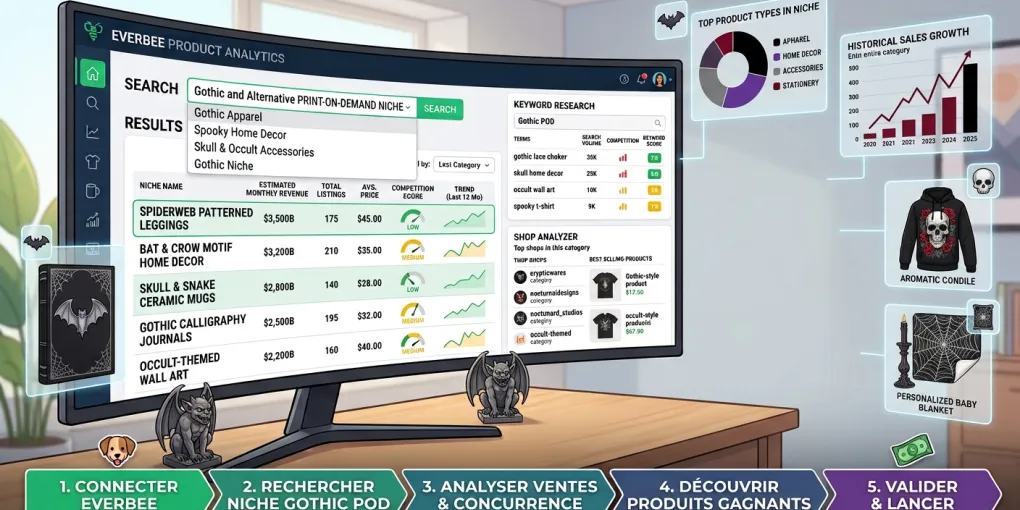
Product Analytics is the most obvious starting point for a POD seller. You enter a search term, browse matching listings, and compare the visible information in a table.
During the test, the results table displayed columns for:
- product;
- shop name;
- price;
- sales;
- revenue;
- trends;
- growth rate.
The interface also showed controls for New & Hot, Rapid Growth, Trending, New Filter, Customize, Filter, and Export.
The free workflow made it possible to run multiple searches. For the terms tested, EverBee displayed the following approximate listing counts at the time of the recording:
gothic t-shirt: 145,082 listings;gothic hoodie: 39,968 listings;dark academia shirt: 85,973 listings;rpg shirt: 5,302 listings;witchy shirt: 268,226 listings;print on demand shirt: 67,140 listings.
These numbers are not Google search volumes. They are the listing counts shown by EverBee for those searches at that moment. They can change as the database and search results change.
They are also not enough to decide whether a niche is attractive. A large result set may indicate broad competition. A smaller result set may indicate a narrower audience, but it may also mean weaker demand. The useful question is not simply “How many results are there?” It is whether a seller can identify a specific buyer, a differentiated product angle, acceptable production costs, and evidence of demand.
What the free CSV export actually includes
The export was one of the most useful parts of the test because it showed exactly which fields were available outside the interface.
After running a search for a TTRPG-related shirt term, I requested an export. EverBee displayed a success message saying that the export had been sent and would arrive by email. The CSV file did arrive and contained columns including:
- Product Name;
- Product Link;
- Shop Name;
- Shop Link;
- Price;
- Est. Sales;
- Est. Revenue;
- Growth Rate;
- Est. Total Sales;
- Total Reviews;
- Listing Age;
- Total Favorites;
- Avg. Reviews;
- Total Views;
- Category.
The important limitation was that several commercial fields displayed “Please upgrade” rather than a value. In the tested free export, this applied to:
- Est. Sales;
- Est. Revenue;
- Growth Rate;
- Est. Total Sales.
This makes the free export useful for organizing basic competitor observations, but less useful for the specific question many new sellers want to answer: “How much does this listing appear to sell?”
The accessible fields still have value. A seller can compare price ranges, listing age, reviews, favorites, views, categories, and shop names. Those signals may help generate hypotheses. They do not establish profit, demand quality, or future sales.
Want to check which metrics are available on your own account? You can test EverBee’s free plan before deciding whether the paid features are worth it.
Which metrics remain locked
The paywall was visible in more than one part of the workflow.
In the Product Analytics table, Sales, Revenue, Trends, and Growth Rate displayed lock icons in the recorded free interface. In a listing detail panel, the fields for monthly sales, monthly revenue, total sales, conversion rate, and visibility score were also locked for the listing viewed during the test.
The Trends Graph was explicitly presented as a paid feature.
This does not mean that the free plan has no value. It means that the free plan is better understood as a basic research and orientation layer. It helps you inspect the market and organize observations, while deeper commercial and historical metrics are reserved for an upgrade.
A careful review should not say that “all useful data is locked.” Views, favorites, reviews, listing age, price, category, shop information, keyword metrics, and some exports can still help. The fair conclusion is that the most direct sales and growth indicators were not available in the free export I tested.
Keyword Research: volume, competition, and score
The Keyword Research module was accessible during the test. It displayed columns for:
- keyword;
- volume;
- competition;
- keyword score.
EverBee’s own help documentation says that its search-volume metric refers to searches for a keyword or phrase on Etsy over a defined period and describes competition as the number of competing listings. It also describes Keyword Score as an indicator intended to highlight opportunities with demand and relatively lower competition.
These are useful metrics for prioritizing research, but they should not be treated as universal truth. They are EverBee’s measurements and scoring system for Etsy research, not Google Keyword Planner data and not a guarantee of Etsy ranking.
The correct workflow is to combine the metrics with product relevance. A high-volume keyword that does not accurately describe the product can attract the wrong shoppers. A low-competition keyword with no meaningful buyer intent may not generate useful traffic. A promising keyword still needs a product that is legally safe, visually differentiated, correctly priced, and relevant to the intended customer.
For a POD seller, a better research sequence is:
- start with a specific product and audience combination;
- compare broad and long-tail Etsy terms;
- inspect the competing listings;
- check whether the top results share an obvious style or buyer occasion;
- verify trademarks and intellectual-property risks;
- calculate the real production and fulfillment cost;
- decide whether the opportunity is still attractive after differentiation.
Shop Analyzer: what is visible for free
Shop Analyzer displayed a list of Etsy shops with fields such as:
- Total Sales;
- Total Revenue;
- Monthly Sales;
- Monthly Revenue;
- Shop Age;
- Shop Review Score.
Some shop-level values were visible, while several revenue and monthly-performance fields remained locked. The screen also showed controls for filtering, customizing, exporting, and viewing top performers.
This can help a seller form questions about the market. For example:
- Are successful shops concentrated in one product category?
- Do the strongest shops use a narrow visual identity?
- How old are the shops that appear established?
- Are there many listings competing for the same buyer?
- Does a product idea depend on one bestseller or a wider catalog?
The tool does not answer the most important strategic question by itself: whether a new seller can enter the market with a product that is meaningfully different and profitable after costs.
It is also important not to treat a shop’s estimated data as verified financial reporting. Use it as a directional signal, not as a statement about another seller’s private income.
Profit Calculator: useful model, incomplete margin
EverBee’s Profit Calculator can be useful because it separates different parts of an Etsy transaction.
The interface provides fields for:
- Listed Price;
- Shipping Price;
- Discounts;
- Cost of Item;
- Shipping Cost for Order;
- Advertising;
- Payment Method.
It then separates revenue, Etsy fees, advertising cost, cost of goods sold, shipping cost, net profit, and net profit margin.
In the corrected advertising scenario I tested, the inputs included:
Listed Price: $24.99
Shipping Price: $4.99
Discount: $0
Cost of Item: $0
Shipping Cost for Order: $5.99
Advertising: selected advertising scenario
Payment Method: Etsy Payment
The calculator displayed:
Total Revenue: $29.98
Total Fees: $6.90
Shipping Cost: $5.99
Net Profit: $17.09
Net Profit Margin: 57.00%
The arithmetic is consistent:
$29.98 - $6.90 - $5.99 = $17.09But this is not a realistic POD margin because the Cost of Goods Sold field was still set to $0. If the product cost were $10, the same scenario would produce approximately:
$29.98 - $6.90 - $5.99 - $10.00 = $7.09That would be approximately a 23.65% margin on the $29.98 customer-paid total, before considering taxes, refunds, replacements, software subscriptions, design costs, or other operating expenses.
This is the right way to use the calculator: enter realistic assumptions, save the assumptions, and run more than one scenario. The calculator can organize the math. It cannot know your supplier’s true product cost, delivery reliability, tax position, refund rate, or advertising attribution unless you enter those details correctly.
You can also test the Profit Calculator with your own product cost, shipping cost, and advertising assumptions before considering an upgrade.
What EverBee’s data can and cannot prove
EverBee can help a seller gather market signals. It cannot prove that a product will sell.
It can help you observe
- the approximate size of a search result set;
- visible listing prices;
- reviews, views, favorites, and listing age where available;
- shop-level fields exposed in the interface;
- EverBee’s keyword volume, competition, and score metrics;
- fields that are available or locked under the tested plan;
- a modelled fee and profit scenario based on entered assumptions.
It cannot prove by itself
- exact Etsy sales of another seller;
- exact Etsy revenue of another seller;
- future demand;
- legal safety of a niche or design;
- whether a product is differentiated enough to compete;
- your real POD margin without accurate product and fulfillment costs;
- whether a keyword will produce a ranking or a sale;
- whether a competitor’s estimated revenue is audited financial data.
EverBee’s product pages describe its sales and revenue information as data generated by its system. Its help material also explains that Etsy does not directly disclose all sales data and that EverBee uses an algorithm. If you mention EverBee’s stated average accuracy figure, identify it as a vendor-reported claim rather than an independent measurement.
EverBee free plan vs paid plans
EverBee’s current pricing page lists a free Hobby plan and paid Growth and Business plans. At the time of this review, the annual billing display showed Growth at $24.99 per month and Business at $69 per month, with the annual commitment shown on the pricing interface.
Prices and plan limits can change. Check the current pricing page before subscribing.
The test suggests a practical distinction:
- Hobby: useful for learning the interface, inspecting basic listing signals, exploring keywords, and trying the workflow;
- Growth: more relevant when you need deeper sales, revenue, trend, export, or research capacity and the subscription cost is justified by a repeatable workflow;
- Business: aimed at sellers or brands needing broader usage and more advanced capacity.
A free account is the sensible starting point for a beginner. Do not upgrade because a dashboard makes a niche look exciting. Upgrade only when you know which locked metric or workflow limitation is preventing a decision you need to make.
Who should use the free plan?
The free plan is a reasonable fit for:
- a new Etsy seller learning how product research works;
- a POD seller comparing several audience and product combinations;
- a creator who wants to inspect prices, reviews, views, favorites, and listing age;
- a seller who wants to understand EverBee before paying;
- someone who needs a first-pass keyword and competition workflow.
It is less suitable for a seller who expects the free plan to reveal complete sales and revenue estimates for every competitor. The CSV result in my test did not provide those fields without an upgrade.
Who should upgrade?
An upgrade may make sense when:
- you research products frequently rather than occasionally;
- the locked trend and commercial fields are central to your workflow;
- you need more keyword research capacity;
- you can compare the subscription cost with a realistic business decision;
- you already understand the difference between estimates and verified data.
An upgrade is not automatically justified for a beginner who has not yet chosen a product direction, calculated supplier costs, checked trademarks, or tested whether the audience is real.
Final verdict
EverBee’s free plan is more useful than a simple teaser. It allows a seller to explore Etsy searches, inspect visible listing signals, access keyword research, view shop-level information, request exports, and model a transaction scenario.
Its limitations are equally important. The free export I received replaced estimated sales, estimated revenue, growth rate, and estimated total sales with “Please upgrade.” Product detail and trend metrics were also locked in parts of the interface. The Profit Calculator produced a clear result, but the initial result was only a theoretical margin because the product cost was set to zero.
For POD sellers, the best way to use EverBee is as one research input in a wider workflow:
- identify a specific buyer and product idea;
- research Etsy competition;
- inspect available listing and keyword signals;
- check intellectual-property risks;
- enter real product and fulfillment costs;
- create a differentiated product;
- validate the listing and audience with real-world evidence.
Final verdict: EverBee’s free plan is worth testing, but it is not enough on its own to validate a profitable POD niche. Start free, document what is actually accessible, and upgrade only when the additional data answers a specific business question.
If you want a second perspective on niche research, compare this workflow with our Podly niche-research review, then read our guide on how to find Print-on-Demand niches. You can also use our framework for evaluating a POD niche and the broader Print-on-Demand niches guide.
Sources
- EverBee pricing — current plan structure and displayed pricing.
- EverBee Product Analytics — product analytics and vendor-described data methodology.
- EverBee Keyword Research — keyword research features.
- EverBee keyword research help — EverBee’s definitions of search volume, competition, and Keyword Score.
- EverBee affiliate program — affiliate program information.
- EverBee affiliate and marketing terms — tracking, promotional, and claim restrictions.
Affiliate disclosure: This article contains an affiliate link to EverBee. If you subscribe through the link, SaaS Select may earn a commission at no additional cost to you. The recommendation is based on the documented test and is not affected by the commission.
Frequently asked questions
Is EverBee’s free plan useful for POD sellers?
Yes, but mainly for basic Etsy competitor research. The free plan can show listing details, keyword metrics, shop information, and some exports, while estimated sales, revenue, growth, and total-sales fields may remain locked.
Does EverBee show exact Etsy sales?
No. EverBee’s sales and revenue figures are estimates generated by its own methodology. They should be treated as research signals rather than verified Etsy transaction data.
What does the EverBee free CSV export include?
In our test, the export included product and shop links, prices, reviews, listing age, favorites, average reviews, total views, and category. Estimated sales, revenue, growth rate, and estimated total sales displayed Please upgrade.
Can EverBee calculate a real POD profit margin?
It can model a scenario with Etsy fees, shipping, advertising, and product cost fields, but the result is only realistic when the seller enters accurate supplier and fulfillment costs.
Should a new Etsy seller upgrade to EverBee?
Not automatically. A new seller can start with the free plan, learn the workflow, and upgrade only if the locked demand and trend metrics answer a real research question that justifies the subscription cost.
More from this series