MyDesigns Free Plan Test: Profit Trap, Error 400 and Limits
The MyDesigns free plan is enough to build and price a complete product draft, from upload to preview, but my test did not reach a published listing. Along the way I hit two things that matter more than the feature list: a profit column that leaves out shipping, and a Status 400 error on my first T-shirt. I tested it hands-on for about 15 minutes on a free account to see exactly where the free plan helps and where it stops.
Testing note: this is a real hands-on test of the free plan, with 40 credits and a 256 MB storage allowance. I did not connect a store, publish a listing, order a sample or test any paid plan, so I cannot say anything about print quality, delivery or order fulfillment.
What I did in the test
I followed the five steps MyDesigns shows at the top of its product builder: Product, Mockups, Data, Pricing and Preview.
- Uploaded one design. A gothic skeleton-key illustration with a transparent background. The storage meter went from 0% to 12% (31 MB of 256 MB) after that single upload.
- Picked a product. Women’s Clothing, then T-Shirts, then the Sport-Tek ST350 from MyDesigns’ recommended print partner, which the picker labels Best Price, Fast Production and Top Quality Prints. The picker also has a Printify tab, which I did not use.
- Chose 24 variants. Eight sizes (XS to 4XL) across several colors, with a mockup generated on a black shirt.
- Filled in the data by hand. The Data step offers “Quick Fill with Vision AI” and “Advanced Vision AI” buttons. I typed a short title and description myself, so this test says nothing about how good those AI buttons are.
- Set prices and reached the preview. This is where most of the lessons are.
- Added a second design (an AI-generated cat, covered below) and created both products in one batch.
The profit trap in the pricing step
The pricing table lists each size and color with cost, price and profit. On the default settings, an XL black shirt showed a production cost of $13.04, a price of $16.95 and a profit of $3.91. That price is roughly 30% above cost, and the profit is about 23% of the price.
The profit formula on screen reads “Profit is price, less production cost and your discount.” Shipping is not in it. Under “Profit accounts for” you can tick a Shipping box, and a Shipping column then appears with an estimate for postage to the United States: $4.79 for most sizes and $5.09 for 4XL. The same panel adds that MyDesigns quotes marketplace fees for Etsy only, and none were included because I had not chosen a destination.
Here is what that does to the same XL black shirt:
| Item (XL, black, free plan) | Amount |
|---|---|
| Production cost | $13.04 |
| Default price | $16.95 |
| Profit shown by default | $3.91 |
| Estimated shipping to the US | $4.79 |
| Profit if you absorb shipping | −$0.88 |
| Price needed for $11.00 profit with shipping included | $28.83 |
The $3.91 only holds if the shipping you charge buyers covers what MyDesigns bills you. If you offer free shipping, the default price loses about 88 cents per shirt, before any marketplace fee, advertising or payment processing.
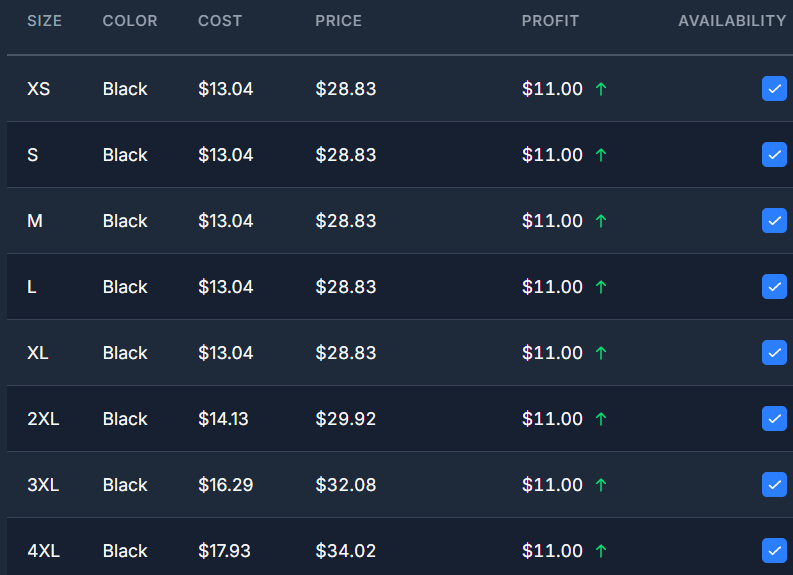
When I set a profit target of $11.00 with shipping switched on, the prices moved to $28.83 for XL and $34.02 for 4XL. Then I applied a $0 profit target to all variants, and the table fell back to cost plus shipping ($17.83 to $23.02). I did not see a dedicated warning for zero profit, only the general issues counter.
The practical lesson: switch the Shipping box on before you trust any profit number, then decide how much of the shipping cost your own store will pass on. Do not confuse four different numbers: the production cost, the shipping cost, the retail price and your final net profit.
The Status 400 error and how I got past it
When I created the first product, MyDesigns returned this message:
Status: 400
Products Sport-Tek ST350 are not supported for this platform due to certain SLA agreements.
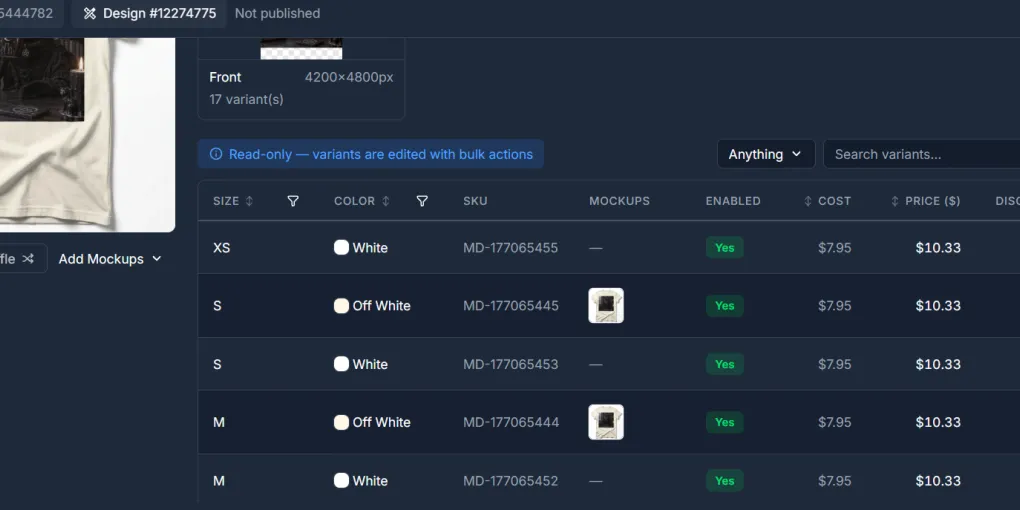
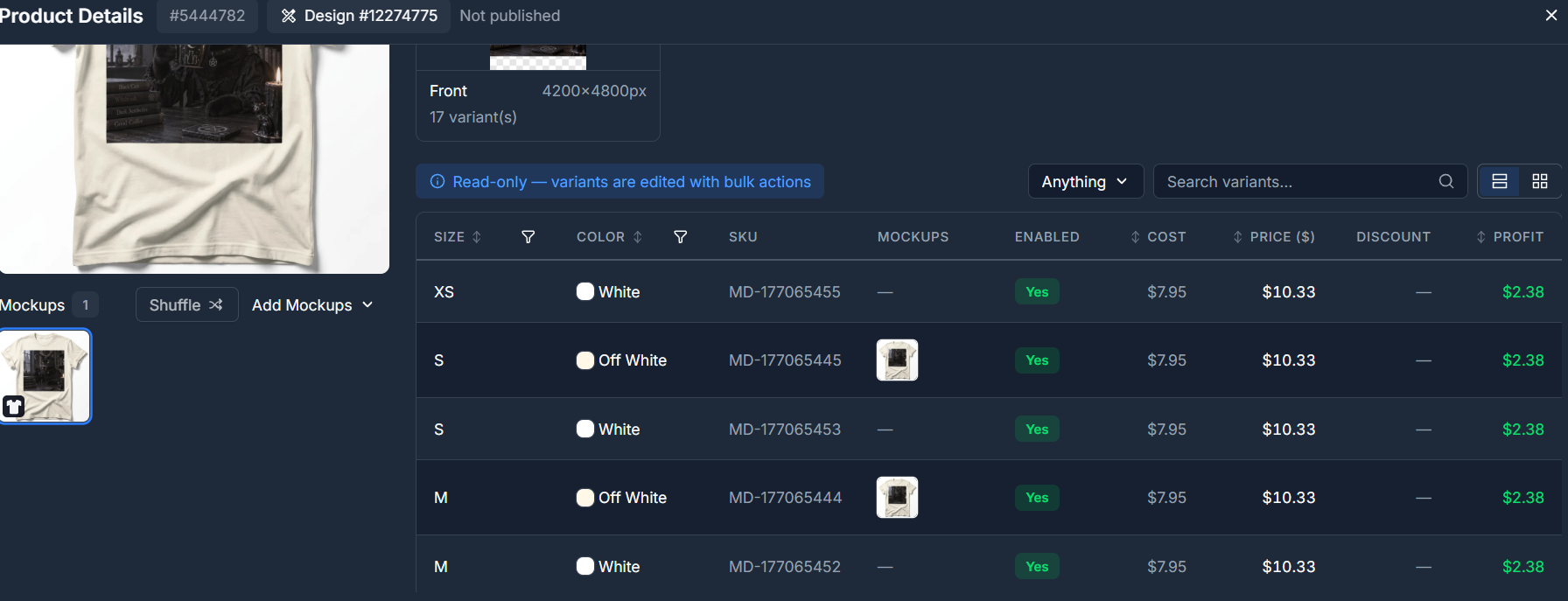
It would have been easy to conclude that MyDesigns cannot create products. That would be too strong. I changed the T-shirt and ran the workflow again, and the message disappeared. The Products dashboard then showed two products, named cat and key tshirt2, with visible variant prices from about $10.33 to $15.07. Both showed Sold: 0 and Not published.
The narrower conclusion is that the first configuration triggered a compatibility error, and a different blank fixed it. I cannot identify the exact cause from the interface. It may involve the product, the provider, the platform setting or the print-area rules.
This also means the profit math above was done on a blank that MyDesigns later rejected. Two habits follow from that:
- Validate the blank before you price it. Create a draft product early, so you find a compatibility problem before you spend time on mockups and prices.
- Re-check the profit target after you switch blanks. If the pricing step is set to a $0 profit target, prices fall back to cost plus shipping again, whatever the blank.
If you see a similar message, check the print area, the available colors and sizes, the provider shown and the connected store, then try another compatible product before rebuilding the whole design.
Dream AI and Canvas
Dream AI generates images from a prompt, with Generate, Edit and Remix tabs. I used the GPT Image 2.5 Sunburst model at 1:1 (1024×1024) and Quality Medium, with the prompt “a gothic cat drinking a coffee.” The generation took roughly 20 to 25 seconds and returned two images of a dark cat in a candlelit study. The credit balance went from 40 to 37, so this one action cost 3 credits in my session. Saving one image as a design showed a cost of 0 credits.
There is also a “Dream as Public” option that shows a 10% discount, and the “Save as designs” window lets you remove the background or upscale (PNG only) while saving. Before you use any AI image commercially, check it for accidental brand or character references, unwanted text and weak composition at the real print size.
I also opened Canvas, which starts as a blank 1200×1200 px artboard with text tools and an Export button, but I did not use it for anything.
Scout AI was locked
In Scout AI I entered two searches, “coffee lovers” and “gothic coffee lovers.” The settings screen estimated about 7.5 credits for five designs, but the run opened an “Upgrade to continue” window saying Scout AI was not available on my current plan. That matches MyDesigns’ documentation, which places Scout AI on the Pro and Pro Plus plans.
Free plan limits and plan prices
- Credits. I started with 40. As I read the pricing page, the Free plan lists no monthly AI credits, so treat that balance as specific to my account and do not count on it.
- Storage. The 256 MB allowance is easy to underestimate. My first uploaded design took 31 MB, while the AI-generated design I saved later added about 1 MB (the meter moved from 12% to 13%).
- Plans. The official pricing page lists Starter at $19.99, Pro at $39.99 and Pro Plus at $79.99 per month when billed annually, with higher month-to-month prices ($24.99, $49.99 and $99.99). Other sites and app-store listings show older or different numbers, so check the live page.
- Product cost. The same Sport-Tek ST350 showed “From $13.04 on Free plan” and “From $11.99 with Pro Plus,” which is $1.05 less per shirt (about 8%). Counting only that saving, Pro Plus at $79.99 a month would need about 77 of these shirts a month to pay for itself, or about 96 at the month-to-month price. That is one blank, and the plan offers more than a cost discount, so treat it as a rough check.
What stopped me from publishing
At the preview, a Platform Compatibility panel listed what each destination still needed: a store for every platform, a category for Etsy, a vendor for Shopify, and the store’s product categories for WooCommerce. The Create Product dialog said “No stores connected yet,” explained that auto-publishing to Etsy, Shopify, WooCommerce, TikTok Shop and more needs a connected store, and offered to create the product anyway and publish it later from the Products page.
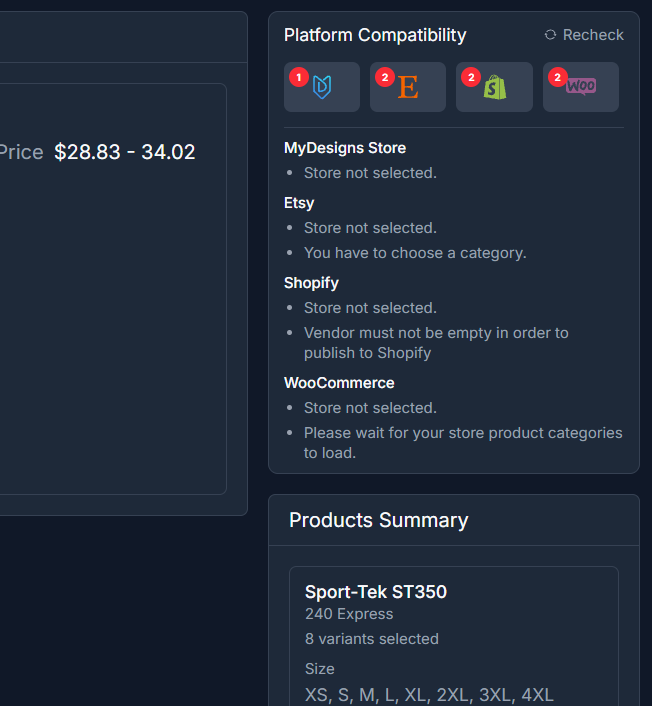
The “issues” counter before publishing was more useful than annoying. It checks the product against each platform and lists missing titles and descriptions per listing, in one window. Two smaller friction points: a “Hang tight! Preparing data for you…” screen appeared several times, once for roughly ten seconds, and the builder asked whether to continue a draft saved from a previous session or start from scratch.
What I did not test
I did not order a physical sample, fulfill an order, check delivery speed, inspect print quality after washing, test customer support, or complete a publication to Etsy or Shopify. I also did not use Vision AI, bulk mockups, video mockups, publishing profiles or any paid plan. MyDesigns documents these features, but I cannot vouch for them.
Who this fits
MyDesigns may fit you if you already have PNG designs, want mockups, pricing and product creation in one dashboard, and are willing to check blank and print-area compatibility before you build around a design.
You may need another workflow if you need Scout AI without a paid plan, expect every blank to work with every sales channel, or want verified delivery and print-quality results before opening an account. If rendering quality on complex garments matters more than a single dashboard, read our BulkMockup vs MyDesigns comparison. If Printful handles your fulfillment, our MyDesigns to Printful workflow guide and Printful review cover that side.
Our earlier MyDesigns review was built from documentation and seller feedback. This article is first-hand but narrow: it covers the free plan only.
The honest verdict
MyDesigns’ free plan is a fair way to test the product builder: it took me from upload to a priced, previewed draft, and to created products once I changed the blank, without paying. It is not proof of a published listing, a printed product or a profit. Switch on shipping, set a profit target instead of accepting the default, validate the blank early, and only then start on the free plan to build your first draft.
Some links in this article are affiliate links, and SaaS Select may earn a commission at no extra cost to you. This review is based on my own hands-on test of the MyDesigns free plan; I did not test paid plans, connect a store or order a physical sample. Prices, plan limits and features change, so check the current terms before you buy.
Frequently asked questions
Is MyDesigns free to use?
MyDesigns has a Free plan alongside Starter, Pro and Pro Plus. The pricing page lists Starter at $19.99, Pro at $39.99 and Pro Plus at $79.99 per month when billed annually, with higher month-to-month prices. Storage, AI credits, batch size and features depend on the plan, so check the current pricing page before you subscribe.
Can I create products on the free plan without connecting a store?
In my test, yes. I could upload a design, pick a product, generate mockups, fill in the data, set prices and create products, which then showed as Not published in the Products dashboard. I did not connect a store, so I could not test publishing.
Is the profit MyDesigns shows my net profit?
No. By default the profit column subtracts production cost (and any discount). Shipping only counts after you switch it on under “Profit accounts for,” and the panel says marketplace fees are quoted for Etsy only once a destination is chosen. Advertising, taxes and refunds are never included.
Why did MyDesigns show a Status 400 SLA error?
My first T-shirt, the Sport-Tek ST350, returned a message saying it was not supported for this platform due to certain SLA agreements. After I switched to another T-shirt, the products were created. The interface did not show the exact cause, so I treat it as a product compatibility issue, not a general platform failure.
How many credits did Dream AI use?
In my test, two 1:1 images at Quality Medium cost 3 credits, taking the balance from 40 to 37. Saving one of them as a design showed a cost of 0 credits. Costs depend on model, size and quality, and I only tested one configuration.
Is Scout AI available on the free plan?
Not in my test. Scout AI opened an “Upgrade to continue” window, and MyDesigns’ documentation places Scout AI on the Pro and Pro Plus plans.
Does MyDesigns publish directly to Etsy?
MyDesigns documents publishing to Etsy, Shopify, WooCommerce and TikTok Shop, but my test did not verify a completed publication. I had no store connected, and the products I created stayed Not published.
More from this series
Tools mentioned in this guide