AI Mockups for Print on Demand: Accurate Product Images
AI mockups can help a print-on-demand seller show a design in context, but they are not automatically evidence of the physical product. The workflow below separates three different uses of AI: an AI-assisted product design, an AI-generated marketing or lifestyle scene, and a mockup or product image supplied by a production partner. Each use has different accuracy, disclosure, and licensing questions.
The central question is simple: Would the buyer receive what this image suggests? If the answer is uncertain, the image needs another check before it goes live.
The main question throughout is simple:
Would the buyer receive what this image suggests?
If the answer is uncertain, the image needs another check before it goes live.
What AI mockup photography can and cannot do for POD
AI can place your design into a generated scene and show it on a generated person. What it cannot do is physically inspect your product or confirm that the finished item looks exactly like the generated image.
That distinction matters because an on-model image can imply evidence.
A buyer may interpret a garment photo as showing its actual fit, fabric, proportions, and appearance. If those details have been invented or altered by the generation process, the image can create expectations that the physical product does not meet.
Where AI on-model photos help
AI-generated on-model images can be useful for:
- Testing a design before a physical sample arrives, provided the image is not presented as proof of unverified fit, fabric, colour, sizing, or print quality.
- Testing lifestyle angles for Pinterest, social posts, and advertising, where the image provides context rather than serving as detailed product evidence.
- Filling image gaps when you already have a reliable product image and need additional lifestyle scenes.
- Showing scale and context, such as a tote on a shoulder or a T-shirt on a torso, when a flat product render feels too abstract.
- Exploring different backgrounds and compositions before deciding which scenes are worth producing with real photography.
Where AI images can mislead buyers
Problems can appear when an AI-generated scene makes the product look better or different from the actual item.
Common examples include:
- Showing a fit or fabric weight that the real blank does not have. A heavyweight hoodie and a lightweight hoodie can look surprisingly similar in a generated scene.
- Hiding differences in print size, placement, or colour, especially when a design approaches a seam, pocket, or edge.
- Creating a pose that suggests a feature the product does not have, such as a hidden pocket, longer hem, thicker collar, or different garment construction.
- Making the product appear more polished than it really is by removing visible imperfections or changing how the fabric behaves.
- Introducing incorrect proportions that are difficult to notice until the customer receives the actual product.
Use AI images as listing support. Do not use them as proof of a physical product you have never seen or verified.
A solo-seller workflow for on-model AI product photos
The workflow matters more than the software name.
Tools will change. Generation models will improve. New mockup services will appear. The basic process of checking the generated image against the actual product should remain the same.
Step 1: Match the mockup to the real product
Before generating anything, write down the product facts you can verify:
- Blank type and supplier SKU
- Garment shape, sleeve length, neckline, and fit
- Exact colour name and code
- Print area dimensions and placement limits
- Sizes you actually offer
Then choose or generate a model template that matches those specifications.
A wrong collar shape, sleeve length, hem, or overall silhouette can be surprisingly obvious. More importantly, it can create expectations that lead to customer complaints or returns.
Avoid poses that fold the print area out of view or crop the design at the edge. If the design is the main reason someone is buying the product, it needs to remain readable.
Step 2: Keep the model and pose believable
Natural lighting and ordinary backgrounds often work better for POD than overly polished studio scenes. They can also make visual inconsistencies easier to spot.
Check the generated image carefully for common AI artefacts:
- Hands: extra fingers, merged fingers, unusual thumb angles, or unnatural hand positions.
- Hair and fabric edges: blurred areas or edges that appear to melt into the background.
- Shadows: missing shadows under the chin or arms, or shadows that do not match the apparent light source.
- Folds: fabric folds that behave unnaturally or distort the printed design.
- Garment construction: collars, seams, cuffs, pockets, zips, or hems that do not match the actual product.
Do not use a real person’s likeness, or a recognisable celebrity, influencer, or private individual, without appropriate permission. Avoid prompts designed to imitate a specific living person, and check the generation tool’s licence for commercial use.
Step 3: Check design scale, colour, and placement
Put the AI-generated image next to your original print file and verified product specifications.
Compare:
- Is the design the correct size relative to the garment?
- Has the design been stretched, skewed, rotated, or moved off-centre?
- Does it cross a seam, zip, or pocket where the real print would not?
- Is the colour reasonably consistent with the print file?
- Has the generator increased saturation or changed the contrast?
- Does the design remain readable in the same areas where it will appear on the physical product?
Colour deserves particular attention.
Screen calibration, device colour profiles, garment colour, printing methods, and lighting can all affect what a buyer sees. An AI-generated scene should therefore be treated as an approximation, not as a reliable colour reference.
For close-ups of print quality, fabric texture, labels, packaging, construction, or other physical details that affect the buying decision, use a real product photo or a verified supplier image. Do not use an AI-generated image as evidence of a detail you have not verified.
Step 4: Export for Etsy and Shopify
Platform requirements change, so verify the current official guidance before preparing a large batch of listing images. Record the date of the check.
For Etsy, do not make an AI-generated on-model scene the first listing image when it represents a product you have not physically verified. Etsy recommends using the first image or video to show the actual physical item the buyer will receive, rather than a rendering or stock image. Keep an AI lifestyle scene for later supporting images, and make sure it does not imply unverified physical details.
Etsy currently recommends listing photos of at least 2000 pixels in width and height, and says the first listing photo should be at least 635 pixels in width and height to avoid appearing lower in search. It also recommends checking the first-image crop and using the sRGB colour profile when colours appear incorrect. These values and recommendations can change, so confirm them in Etsy’s current Help Center before exporting a batch.
For Shopify, check your current theme and Shopify’s product-media documentation. Shopify currently allows product images up to 5000 × 5000 pixels or 25 megapixels, with a file size below 20 MB. A square image around 2048 × 2048 pixels usually displays well, but the final appearance depends on the theme and sales channel.
For each listing:
- View every image on a phone at thumbnail size.
- Make sure the product is immediately understandable at small sizes.
- Write brief, descriptive alt text for accessibility rather than filling it with keywords. Etsy allows detailed image descriptions of up to about 250 characters; Shopify recommends brief descriptions, around 125 characters or less.
- Keep the visual information in the image consistent with the written product description.
- Do not use a disclosure label as a substitute for correcting an inaccurate product representation.
For a deeper pass on Etsy image ordering and alt text, see the Etsy image QA and SEO workflow.
Authenticity checks before you publish
A single question catches many problems:
Would the buyer receive what this image suggests?
Keep a simple written checklist for each listing and record important changes. When the same design appears across several products, a checklist helps prevent the same mistake from being repeated.
Return-risk checklist
Before publishing an AI-assisted product image, check:
- Model body and garment proportions match the real blank.
- Colours are plausible for the print file and product.
- Print scale and placement match the actual print area.
- Seams, pockets, zips, collars, and hems are represented correctly.
- No impossible pose or fabric distortion changes the appearance of the product.
- No unverified feature is visually implied.
- Sizing context is shown or clearly described rather than inferred from the model alone.
- Nothing in the image promises a feature the product does not have.
If you cannot verify an important physical detail, do not let the AI image present it as certain.
UK buyer trust cues
Buyers on Etsy and Shopify can compare your listing with established retailers and other sellers that provide consistent imagery and clear sizing information.
You cannot control what expectations a buyer brings to your listing, but you can make those expectations easier to manage.
Useful trust cues include:
- Show the model’s height and the size worn when that information is available.
- Include care information where it is relevant.
- Avoid fake urgency, invented review counts, or unsupported claims.
- Use plain product descriptions alongside the images.
- Make clear what is included with the purchase.
- Avoid using an AI lifestyle image to imply physical details that have not been verified.
Return rules for personalised and made-to-order products can vary. Do not assume that a POD item is automatically exempt from cancellation or consumer rights simply because it is produced after purchase. UK sellers should check current official guidance for their circumstances.
Etsy and Shopify listing image setup
Etsy listing images
For Etsy listings, the first image should make the product immediately understandable, especially at thumbnail size. Etsy recommends using the first image or video to show the actual physical item the buyer will receive, rather than a rendering or stock image. Do not use an AI-generated on-model scene as the main product evidence when the physical item has not been verified.
A practical image sequence can be:
- First image: a real photo or accurate product image representing the item the buyer will receive.
- Later images: fit, scale, print detail, and clearly identified lifestyle context.
- Additional images: sizing information, care information, or other useful product details where appropriate.
Keep text on images minimal and readable on mobile.
Alt text should describe the image for accessibility and provide useful context. Etsy allows image descriptions of up to about 250 characters. Describe what is visibly shown, including relevant details, texture, and scale; do not use alt text as a place to repeat a list of SEO keywords.
See the Etsy image QA and SEO workflow for a more detailed listing-image check.
Shopify product pages
For Shopify, consistency across the product gallery matters.
A practical setup is:
- Keep gallery images consistent in visual quality and style.
- Use AI lifestyle shots to support the product rather than replace clear product images.
- Show the actual product clearly enough for customers to understand what they are buying.
- Check how your Shopify theme crops, displays, and zooms product images.
- Review the final product page on both desktop and mobile.
A technically good image can still perform poorly if the theme crops the important part of the product out of view.
For a wider look at how AI mood and lifestyle scenes can fit into a listing, see AI mockup lifestyle immersion.
Ethics, rights, and disclosure
AI-generated product imagery creates several separate questions: who or what appears in the image, what the image claims about the product, and what rights apply to the generated content.
The safest approach is to separate those issues rather than treating “AI-generated” as a complete answer.
Model and likeness rights
Before publishing an AI-generated model image:
- Check the generation tool’s commercial licence.
- Check whether paid advertising is permitted.
- Review restrictions concerning generated people or likenesses.
- Avoid prompts that imitate a real celebrity, influencer, or private individual.
- Keep records of relevant licences, subscriptions, and source assets.
A generation tool’s terms can change, so review the current licence rather than relying on an old blog post or a previous version of the terms.
Platform disclosure and UK rules
Platform and advertising requirements can change, and they may depend on how an AI-generated image is being used.
This article concerns AI-generated marketing imagery, not only AI-generated product designs. If AI was also used to create the design being sold, check the platform’s separate AI-disclosure rules. On Etsy, seller-prompted AI creations must be disclosed in the listing description. If a production partner prints the design, the applicable production-partner information must also be accurate.
For UK sellers, the central issue is whether the marketing gives consumers a misleading impression of the product. The ASA states that there is no blanket UK requirement to disclose AI use in every advertisement, but the existing rules apply regardless of how the content was generated. Check current Etsy, Shopify, ASA, and CAP guidance for the specific platform and campaign you are using.
A label such as “AI-generated” does not make an inaccurate product image acceptable. The image must first be truthful in the overall impression it gives about the item’s features, size, fit, and contents. Do not assume that every AI-generated image automatically requires the same disclosure. Requirements can differ depending on the platform, advertising format, and context.
If a legal question could affect your business or a specific campaign, use current official guidance or seek qualified legal advice rather than relying on a general blog summary.
Scaling without losing accuracy
Automation helps once you have a reliable QA process. Applied before that, it simply produces errors faster.
What to automate
Once your process is stable, repetitive tasks can be automated, including:
- Repeated export sizes
- File naming
- Background templates
- Basic image preparation
- Alt text drafts, followed by human editing
- Repeated checks against saved product references
What to keep manual
Keep these decisions under human review:
- The final accuracy check against the real product
- Judgement calls about fit and fabric
- Colour and print-placement decisions
- Claims that could affect customer expectations
- Any image that could increase the risk of returns or complaints
If you are generating mockups in volume, build the QA process before increasing production.
A reliable workflow should be:
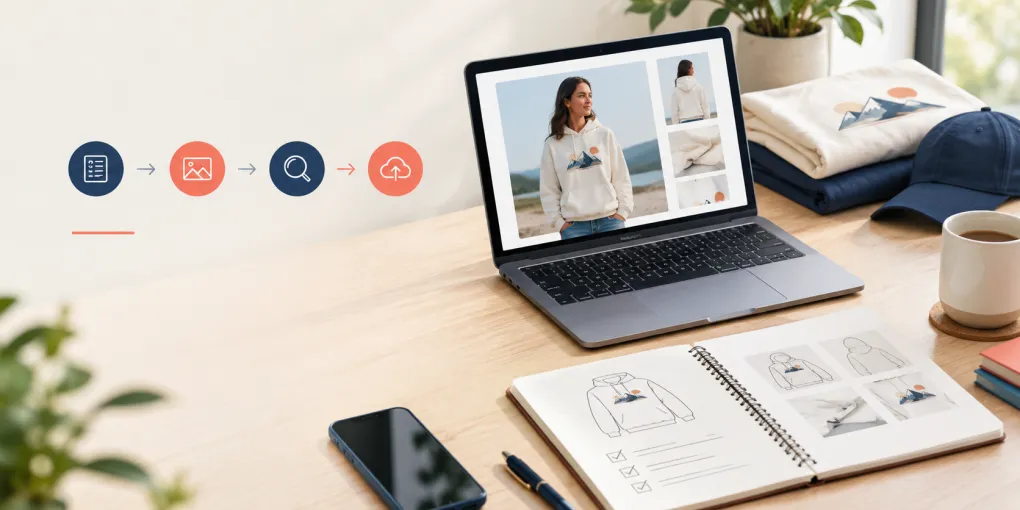
Product specifications → image generation → visual comparison → QA → final export → publication
For a deeper look at bulk mockup workflows and automation, see the related guides in this cluster, including the bulk mockup generator comparison and the bulk mockup automation guide.
When to skip AI mockups
Products that need real photography
Some products and listing situations are simply better served by real photography.
Use real product photos when:
- Fit, texture, or colour is the main selling point.
- The listing includes sizing, safety, or regulatory claims.
- Buyers need to see the exact item they will receive.
- The product has important labels, packaging, hardware, or construction details.
- Close-up print quality is an important part of the buying decision.
- An AI-generated image could create an expectation you cannot verify.
A simple decision rule
If the AI image could make a buyer expect something the real product does not deliver, do not use it as the main image.
AI is useful for context, composition, and lifestyle presentation.
It should not replace evidence when the buyer needs to judge the physical product itself.
The honest conclusion
AI mockup photography can be genuinely useful for print-on-demand sellers who need on-model product imagery without arranging a studio shoot.
The important limitation is accuracy.
A generated image can make a product look polished, attractive, and ready to buy while still getting important physical details wrong. Those errors do not stay inside the image generator. They can become customer expectations, returns, complaints, and trust problems.
The safest workflow is therefore straightforward:
Start with verified product specifications. Generate the image. Compare it with the real product information. Check the details manually. Then publish.
Use AI to add context and lifestyle appeal, but use real photography whenever the buying decision depends on exact fit, fabric, colour, sizing, or print quality.
Review platform requirements and relevant advertising guidance periodically because both platforms and rules can change.
Official guidance and sources
- Etsy Creativity Standards — seller-prompted AI creations and production-partner categories.
- Etsy policy best practices for listings — accurate representation and first-image guidance.
- Etsy image requirements and best practices — file types, dimensions, crops, and colour profile.
- Etsy text alternatives for listing images — accessibility and image descriptions.
- Shopify product media types — product image limits and formats.
- Shopify media editor — alt text and image editing guidance.
- ASA guidance on AI in advertising — disclosure context and misleading impressions.
- ASA/CAP guidance on misleading advertising — overall impression, images, material information, and substantiation.
Reviewed September 2026. Platform policies, image requirements, advertising guidance, and generation-tool licences can change. Verify the current official source before publishing a large batch of listings or launching an advertising campaign.
Related guides
- Etsy image QA and SEO workflow
- AI mockup lifestyle immersion
- Bulk mockup generator comparison
- Bulk mockup automation guide
Frequently asked questions
Do AI mockups work for Etsy and Shopify listings?
They can work as supporting images, especially for lifestyle context, but the rules and risk are platform-specific. On Etsy, do not use an AI-generated on-model scene as the first listing image when it represents a product you have not physically verified. Use a real photo or an accurate product image for the main product evidence, and keep AI lifestyle scenes for later supporting images. On both platforms, do not let an AI image imply unverified fit, fabric, colour, sizing, or print quality. Check current platform image requirements before publishing.
How do I stop AI on-model photos from looking fake?
Use natural lighting, believable poses, and backgrounds that suit the product. Check hands, shadows, fabric folds, print placement, and garment proportions. An accurate image is more useful than a polished image that misrepresents the product.
Can I use AI model photos if I have not ordered a sample?
You can use them for early marketing or as supporting images, but do not use them as the main product evidence when you have not verified the physical item. If you have not seen the product, avoid presenting exact fabric, fit, texture, colour, sizing, print quality, labels, or construction as confirmed. On Etsy, use a real photo or an accurate product image for the first listing image whenever the AI scene would otherwise represent an unverified product.
What should UK sellers know about AI-generated product images?
The main concern is whether the marketing gives buyers a misleading impression of the product. The ASA says there is no blanket UK requirement to disclose AI use in every advertisement, but existing rules still apply. A disclosure does not make an inaccurate product image acceptable, so UK sellers should check current Etsy, Shopify, ASA, and CAP guidance for their specific use.
When should I use real product photos instead of AI mockups?
Use real photos when the buying decision depends on exact fit, colour, texture, sizing, print quality, labels, packaging, or other physical details that an AI-generated image cannot reliably prove.
More from this series