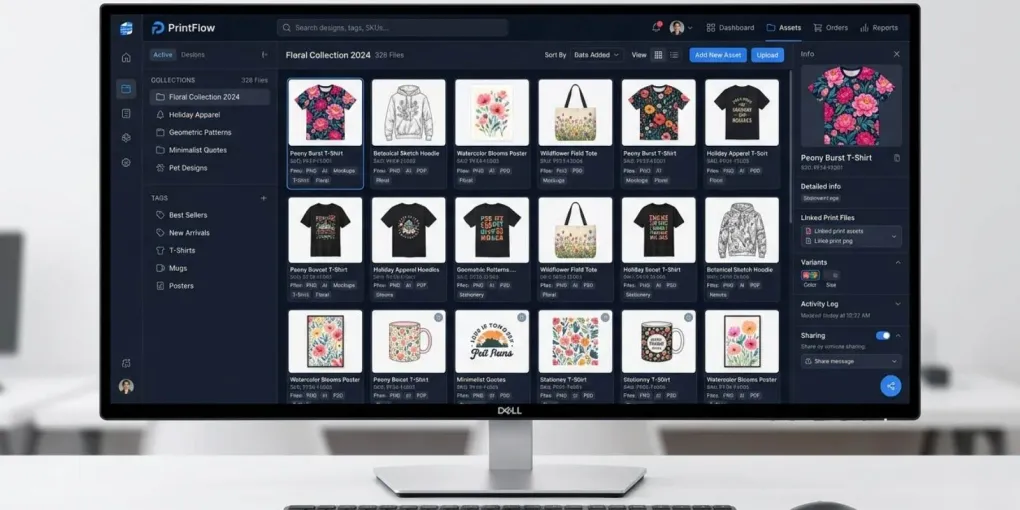
Organize & Tag POD Digital Assets: The 2026 Workflow Guide
How to Organize and Tag Thousands of Digital Assets for POD
If you run a print-on-demand store or generate AI art, your design library is your core business asset — arguably more valuable, day to day, than the designs currently live on any single storefront. Figuring out how to organize and tag thousands of digital assets for POD breaks many creators. A simple folder of transparent PNGs quickly devolves into a chaotic mess of duplicate files, lost mockups, and forgotten vectors.
When pushing products to Etsy, Redbubble, or Amazon Merch, speed drives revenue. Every minute spent clicking through nested folders looking for a specific vintage woodcut graphic is a minute you aren’t uploading.
Why Folders Fail POD Sellers
Most creators start with standard folders, and it holds up fine below a few hundred designs. Past that, memory fails: hundreds of sub-folders bury older assets, so you can’t find a specific gothic background and end up recreating it from scratch instead. AI creators hit this even faster — between initial generations, upscaled versions, and final background-removed PNGs, managing variations without a tag system becomes unworkable within weeks, not years.
This article is specifically about the software that fixes that — Digital Asset Management tools for browsing and tagging your raw design files. If what you actually need is the spreadsheet-and-process side of staying organized (tracking SKUs, upload status, and metadata across platforms), that’s a separate workflow covered in our high-volume POD inventory system guide — the two are meant to work together, not replace each other.
Stop Making These Mistakes
Before adopting software, kill these destructive habits:
- Poor file naming:
final_design_2.pngis unsearchable. - Duplicate assets: Saving the same mockup background across ten product folders wastes gigabytes.
- Scattered storage: Splitting assets across local drives, Google Drive, and external SSDs guarantees lost work.
A Scalable Asset Workflow
Software won’t fix a broken process. You need a workflow built for high-volume uploads.
1. Centralize an Inbox Folder
Never save files directly into your main archive. Create an “Inbox” folder. Dump new graphics, AI generations, and vectors here. Process this inbox weekly by tagging and migrating files into your permanent database.
2. Build a Flat, Tag-Based Architecture
Folders limit files to one location. Tags allow infinite categorization. Use a flat folder structure combined with rich metadata. Keep platform constraints in mind — for instance, Redbubble enforces a strict 15-tag maximum to avoid spam penalties. Your internal tags should map directly to the high-converting metadata you plan to deploy.
3. Separate Raw Files from Print Files
Keep massive .PSD or .AI working files completely isolated from your final transparent 4500x5400 PNGs. When batch uploading, you only want production-ready print files. If you use automation, this separation is non-negotiable. You also need distinct folders for layout specifics — like ensuring chest graphics are perfectly centered above the pocket and never overlap onto sleeves during batch processing with bulk mockup generators.
Top Digital Asset Management Tools
When your catalog outgrows standard folders, you need dedicated Digital Asset Management (DAM) software. Here is how the top platforms stack up, based on what they actually cost and who they’re realistically built for rather than their full feature lists.
Eagle.cool: Best for Solopreneurs
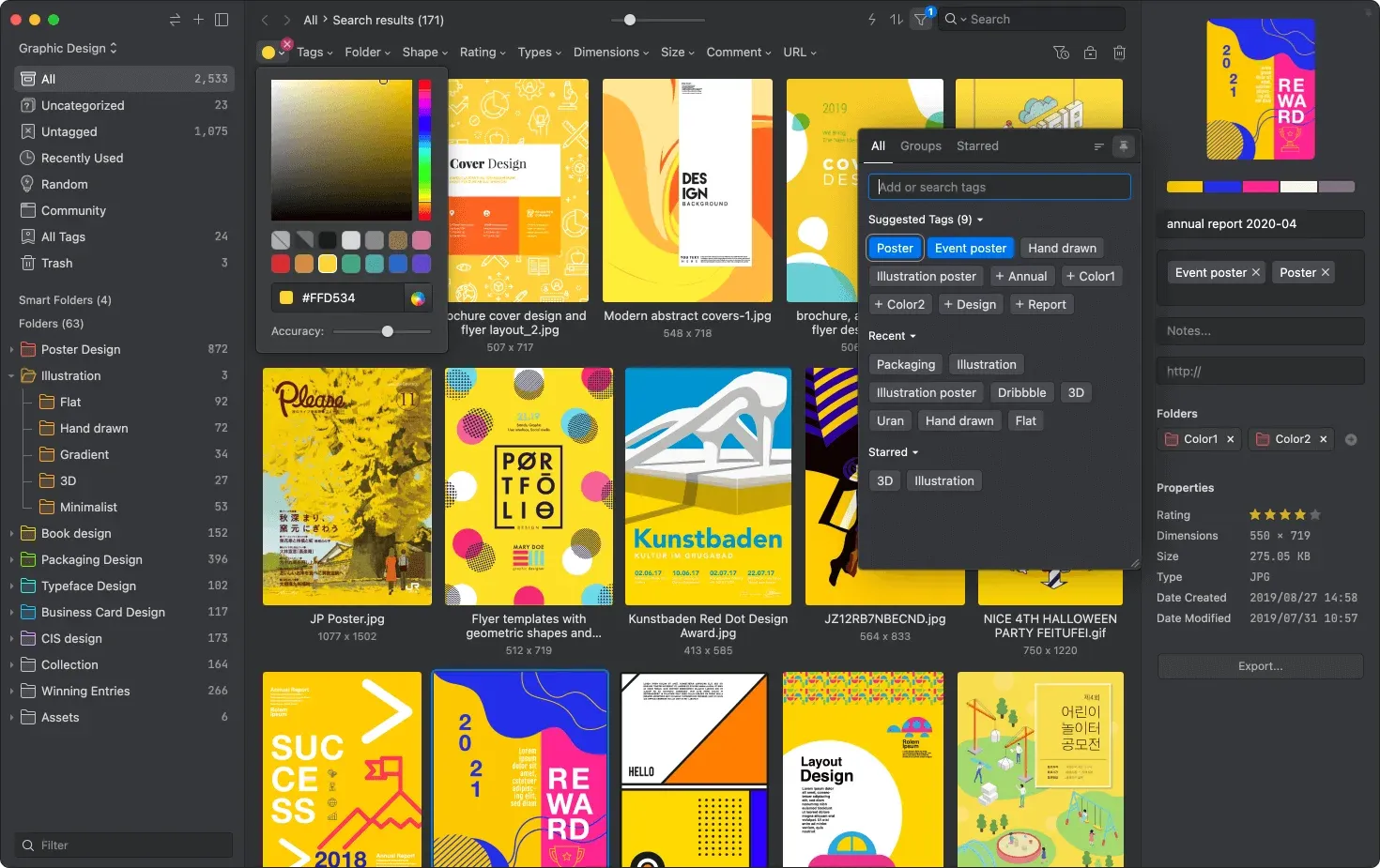
Eagle is a desktop app built strictly for visual asset management.
Strengths:
- Instant previews for over 70 formats.
- View
.AIfiles and heavy PNGs without launching Adobe software. - Search by exact color hex codes, shapes, or custom tags.
- Runs locally, making it incredibly fast.
- $34.95 one-time fee — unbeatable for solo sellers.
Weaknesses:
- Tied to your desktop. Syncing across multiple machines requires routing your Eagle library through Google Drive or Dropbox.
Ideal User: Solo POD sellers and AI artists targeting the US and UK who need visual-first sorting without monthly subscriptions.
Air.inc: The Agency Powerhouse
Air is a cloud-based creative operations platform designed to replace shared drives for marketing teams.
Strengths:
- AI auto-tags images and recognizes objects automatically.
- Visual boards let teams move assets through approval stages seamlessly.
Weaknesses:
- Pricing locks out solo creators. At $600 per month for the Pro plan, it makes no financial sense for an independent seller.
Ideal User: High-volume print-on-demand agencies managing multiple designers and strict brand guidelines.
Notion: The Operational Hub
Notion lets you build custom databases to manage your entire operation.
Strengths:
- Links your digital assets directly to your business logic.
- Tie a design file to its SEO keywords, upload status, and niche category.
- Perfect operational companion for tracking uploads and metadata.
Weaknesses:
- Not a true DAM. Dropping hundreds of high-res PNGs into a Notion gallery tanks performance.
- Handles text brilliantly but struggles with visual browsing.
Ideal User: Sellers who prioritize tracking upload statuses and keywords over visual asset browsing.
When to Skip DAM Software
Not every store needs complex software. Stick to basic folders if:
- You upload sporadically: Under 200 designs? A strict local folder hierarchy is enough.
- You use all-in-one POD platforms: If you design inside browser tools and never download raw files, skip the DAM.
- You run on zero budget: Rely heavily on rigid naming conventions (e.g.,
Niche_Style_Date.png) and your OS search bar.
Run the actual math before you subscribe to anything. Eagle’s $34.95 is a one-time cost — at any catalog size, it pays for itself the moment it saves you a single afternoon of hunting for a lost file. Air’s $600/month only makes sense once you’re paying more than one person’s time to manage the same asset library; below that, it’s solving a team-coordination problem you don’t have yet. The failure mode to watch for isn’t picking the wrong tool — it’s picking a tool sized for the business you hope to have in a year, and paying for that capacity starting today.
Frequently asked questions
What is the best digital asset management tool for POD sellers?
For solo sellers, Eagle.cool dominates due to its visual tagging, local speed, and one-time pricing ($34.95). Agencies should look at Air.inc for team collaboration and auto-tagging, though it's significantly more expensive.
How do I organize AI-generated art for POD?
Never save every variation. Delete flawed generations immediately. Keep only the upscaled, background-removed final PNGs. Tag them by subject, style, and color palette so they remain searchable in your DAM.
Should I use tags or folders for organizing POD assets?
Tags scale better. Folders trap files in one location, causing duplicates. Tags allow a single file to exist across multiple categories without taking up extra hard drive space. Use a flat folder structure combined with rich metadata.
How do I manage massive PNGs without running out of space?
Store your core design library on an external SSD. If using Eagle, host the library file on the SSD to keep your internal drive clear while maintaining fast preview speeds. Also, separate raw working files (PSD/AI) from final print-ready PNGs.
More from this series