How I Survived an IP Takedown: The Tag Pivot Strategy (2026)
Let me tell you about the email that changed everything.
“Notice of Intellectual Property Infringement – Zenimax Media Inc.”
My heart stopped. I had spent weeks designing a collection inspired by a universe I loved – rich, Nordic, fantasy. The designs were gaining traction. Sales were trickling in. And in one algorithmic sweep, everything was removed.
I had a choice: give up, or rebuild smarter.
I chose to rebuild.
But rebuilding wasn’t just about creating new designs. It was about completely rethinking my metadata strategy, purging every trace of risky IP, and establishing a safe, scalable system that would never trigger a takedown again.
This article is the blueprint of that pivot. I’ll walk you through the exact steps I took to clean my catalog, restructure my tags, and position my brand for long-term success — without ever looking over my shoulder for another takedown email.
1. The Wake-Up Call: Why Your Metadata Matters More Than Your Designs
Most POD sellers focus 90% of their energy on the visual design. They spend hours perfecting a graphic, but then they slap a generic title like “Cool Viking T-Shirt” and a random list of tags on it.
That’s a recipe for disaster.
Takedowns don’t just come from the design itself. They come from the words you use – titles, descriptions, and especially tags. If your tags include trademarked terms like Skyrim, D&D, Dungeons & Dragons, or RPG, you’re waving a red flag at the algorithm.
In my case, I had used terms like “Adventurer”, “Inventory”, “Tabletop”, and “Dungeon Master”. None of them were exact trademarks, but they were close enough to trigger an automated review.
The lesson: your metadata is your first line of defence. If you don’t sanitise it, you’re playing with fire.
2. The Purge: How I Banned 50+ Risky Keywords
After the takedown, I opened a spreadsheet and listed every single word I had ever used in titles, descriptions, or tags. Then I colour-coded them:
- Red: directly trademarked or franchise-specific (e.g., Skyrim, Tamriel, D&D)
- Orange: closely associated with protected IP (e.g., adventurer, inventory, RPG)
- Green: safe, broad aesthetic terms (e.g., dark academia, gothic, woodcut)
I deleted every red and orange term from my entire catalog. That meant going through every listing and rewriting titles, descriptions, and tags from scratch.
What I Kept
- Dark Academia
- Gothic Macabre
- 17th-century woodcut
- Jet-black ink
- Antique parchment
- Library aesthetic
- Scholarly decor
- Vintage illustration
- Occult symbolism
- Memento mori
What I Banned Forever
- Adventure, adventurer, quest
- Inventory, loot, dungeon
- RPG, tabletop, D&D (and any variations)
- Fantasy (unless paired with “dark” or “gothic”)
- Any reference to dragons, elves, orcs, etc.
This purge wasn’t just about avoiding takedowns. It was about sharpening my brand identity. By forcing myself to use only safe, aesthetic-focused keywords, I accidentally discovered my true niche: Dark Academia & Gothic Woodcut Art.
For a complete guide to structuring your tags after the purge, check out my Redbubble 15-tag hierarchy system.
3. The Redbubble Tag Rule: 15 Tags Max — And a Hierarchy That Works
One of the most critical lessons I learned during the pivot was about Redbubble’s tagging system.
Many outdated guides tell you to use 50+ tags. That is completely wrong in 2026. Redbubble now strictly enforces:
| Rule | Limit |
|---|---|
| Maximum tags per listing | 15 |
| Maximum characters per tag | 50 |
| Indexation time | Up to 15 minutes |
Exceeding these limits triggers spam penalties, shadows your visibility, and can even lead to account suspension.
But it’s not just about the number. It’s about order and hierarchy.
Redbubble’s algorithm processes tags in the order you enter them. The first tag is the most important – it’s your main tag. The following tags are modifiers that add context.
The 15-Tag Hierarchy I Now Use
| Position | Role | Example |
|---|---|---|
| 1 | Main niche | dark academia |
| 2-5 | Style modifiers | woodcut art, gothic decor, vintage illustration, black and white |
| 6-10 | Product context | gothic wall art, dark aesthetic gift, occult poster, book lover gift |
| 11-15 | Location / intent | us market, uk decor, memento mori, scholarly gift |
This structure signals to Redbubble exactly what my design is, who it’s for, and where it should rank. It’s a simple change, but it completely transformed my organic visibility.
How to Check Your Tags Are Working
Before publishing, I now run every tag list through three quick checks:
- Count them – exactly 15 tags? No more, no less.
- Length check – each tag under 50 characters?
- Trademark check – any red-flag words? (I use the trademark filter in Podly for this)
💡 Pro tip: Use tools like Podly to discover which tags are actually driving traffic in your niche. Don’t guess – use data.
4. The Visual Pivot: A Quick Word on Brand Consistency
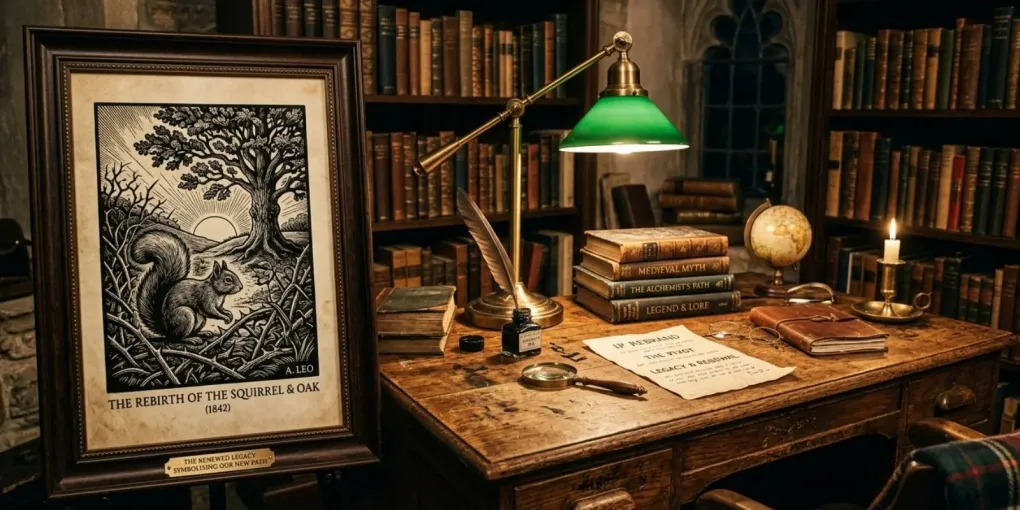
With my metadata cleaned up, I still needed to realign my visual identity — I couldn’t keep making the same designs with different tags; that’s inconsistent and confusing for buyers. I locked in a strict visual rulebook (style, colour palette, typography, placement) for my new brand, The Arcane Archives, and walked through the full rulebook plus the four flagship designs that came out of it in Surviving an IP Takedown & Building a POD Brand — that’s the piece to read if you want the branding side of this pivot in depth. This article stays focused on the metadata and tag mechanics.
For a detailed breakdown of how to build such a visual niche, check out our Visual Niche Blueprint. And if you’re curious about which color palettes work best for Dark Academia, our Color Psychology guide covers the exact hues that convert.
5. The Tumblr + Pinterest Flywheel: How I Rebuilt Traffic Without Ads
After the pivot, I had a brand new visual identity and a clean metadata structure. But I had lost all my previous sales momentum. I needed to drive traffic without paid ads.
I turned to two platforms that are perfect for aesthetic niches: Tumblr and Pinterest.
Tumblr: Storytelling First
I created a blog called The Arcane Curator. Instead of shouting “Buy my t-shirt”, I posted lore behind each design. For example, for the Triple-Eyed Feline design, I wrote:
“Legends whisper that cats bearing the third mark were once guardians of the veil between worlds – their nine lives a mere reflection of the infinite secrets they carry.”
This story-driven approach built a community of passionate fans who genuinely cared about my world. And when they eventually clicked through to the store, they were already emotionally invested.
Pinterest: Visual Search Engine
I applied the same strategy to Pinterest, pinning lifestyle mockups of my designs in atmospheric settings. I used the “fresh pin” strategy – always creating new image combinations to avoid Pinterest’s duplication filters.
I documented this entire funnel in our Tumblr Storytelling guide and Pinterest SEO guide. Both are essential reading for any POD seller looking to build organic traffic.
6. The Automation Workflow: How I Rebuilt 50+ Listings in a Day
Manually updating 50+ listings with new titles, descriptions, and tags would have taken weeks. I automated the entire process.
Here’s my workflow:
- Audit with Podly – I ran every existing listing through Podly’s trademark filter to flag risky tags.
- Bulk update with MyDesigns – I exported my catalog, cleaned the metadata in a spreadsheet, and re-uploaded using MyDesigns’ bulk editor.
- Regenerate mockups with BulkMockup – I created a new batch of mockups that matched my new visual identity.
- Publish and monitor – I pushed the updated listings live and checked Redbubble’s analytics for the first 48 hours.
This workflow saved me over 40 hours of manual work. For a full breakdown of how to build this pipeline, read our MyDesigns to Printful workflow guide and BulkMockup automation guide.
7. What I Wish I’d Known Before the Takedown
Looking back, there are three things I wish I had done before the Zenimax email ever hit my inbox:
- Run a trademark check on every tag before publishing. I trusted my gut instead of using data. That was a mistake.
- Diversify my platforms. I had all my eggs in one basket (Redbubble). After the takedown, I expanded to Etsy and Shopify.
- Build a brand, not a collection of random designs. If I had focused on a cohesive niche from the start, I would never have used risky keywords in the first place.
If you’re starting fresh, learn from my mistakes: pick a safe niche, sanitise your tags, and build a brand that’s yours.
Conclusion: The Crisis That Built My Brand
That Zenimax takedown email was the best thing that ever happened to my print-on-demand business.
It forced me to stop chasing trends and start building a real brand. It taught me the importance of metadata hygiene, tag hierarchy, and visual consistency. And it introduced me to a niche – Dark Academia – that I would never have discovered otherwise.
Today, The Arcane Archives is stronger than ever. Sales are growing, my store is safe, and I have a clear, defensible brand identity.
If you’re in the middle of a crisis, don’t panic. Take it as an opportunity to rebuild smarter.
Start by purging risky keywords, adopt a strict tag hierarchy, and pivot to a safe, aesthetic niche. You’ll come out the other side with a more focused, more profitable business.
Ready to rebuild your store?
Start with my Redbubble 15-tag hierarchy guide to structure your tags correctly. Then, use the Visual Niche Blueprint to build a cohesive brand identity. And if you’re scaling, automate your workflow with the tools and templates I’ve documented above.
Frequently asked questions
What should I do immediately after an IP takedown on Redbubble?
Remove all infringing listings, delete any trademarked keywords from your catalog, and pivot your entire store to a non-trademarkable aesthetic niche like Dark Academia or Cottagecore.
How many tags can I use on Redbubble in 2026?
Redbubble strictly limits tags to 15 per listing and 50 characters per tag. Exceeding these limits triggers spam filters and can lead to account suspension. Focus on quality, not quantity.
What are the safest niches for POD in 2026?
Broad aesthetic movements that are not trademarked: Dark Academia, Cottagecore, Witchcore, Steampunk, Vintage Travel, Minimalist Botanical, and Gothic Macabre.
Can I reuse old designs after an IP takedown?
Only if they are fully original and do not reference any protected IP. If they were inspired by a franchise, you must completely redesign them or discard them to avoid future strikes.
More from this series
Tools mentioned in this guide