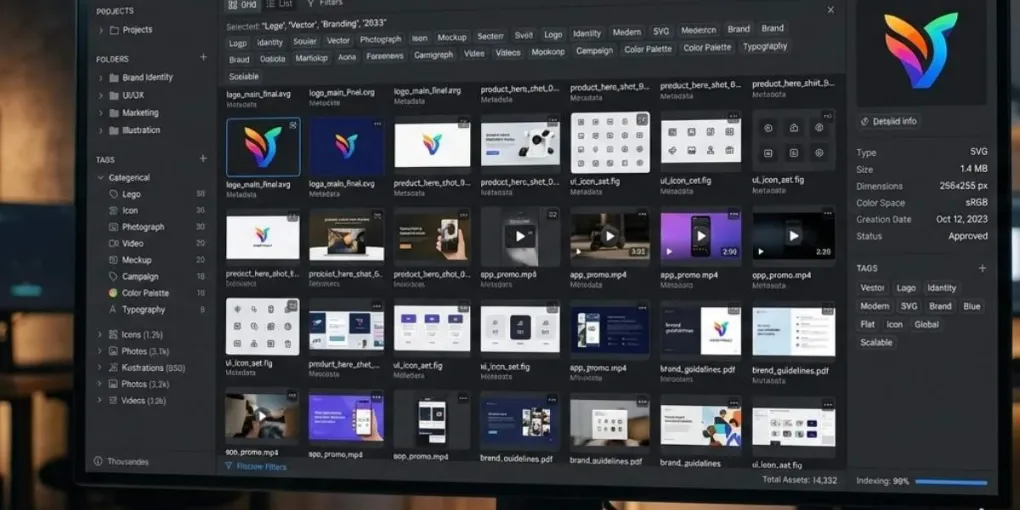
Digital Asset Management for POD: Build a Practical Asset Registry
For a POD creator, a useful digital asset management (DAM) system is not a particular app or an expensive subscription. It is a traceable asset registry: every design, source file, print-ready export, mockup and listing image has a stable ID, a clear status, a known location and a record of the rights that apply to it. Start there. A visual DAM platform can later make search, previews and team approvals easier, but it cannot repair an unclear workflow.
This guide gives you a lightweight operating system for a growing library. It is designed for a creator or small team handling many design variations, not as a promise that a DAM will increase sales or remove every production risk.
Define What Counts as an Asset Before Organising Folders
Do not begin by creating dozens of categories. First define the assets your workflow creates and the decision each one supports. A source illustration, an editable PSD, a print-ready PNG, a product mockup and an Etsy listing image may all stem from the same idea, but they are not interchangeable files.
Assign one asset ID to the creative concept and use suffixes or related rows for its production files. For example, DA-0421 can identify a design, while DA-0421-SRC, DA-0421-PRINT-V03 and DA-0421-MOCKUP-HOODIE-BLK identify its related files. The ID should stay stable even if the file name, folder or tool changes.
This approach adapts a general inventory principle: define the scope, identify assets, collect useful attributes, classify them and review the record over time. CISA publishes that sequence for operational-technology inventories, not for POD or creative DAM; here it is a practical organisational model, not a compliance standard. See its asset inventory guidance for the original context.
Keep One Asset Register That Answers the Important Questions
Use a spreadsheet, database or DAM metadata form as a single source of truth. Folders store files; the register explains what they are, whether they may be used and where they are in the workflow. Do not rely on memory or a file name alone to answer questions about a licence, a live listing or the approved version.
| Field group | Minimum fields | Decision it supports |
|---|---|---|
| Identity | Asset ID, plain-language name, collection | Can the team identify the intended concept? |
| Technical | File path, format, dimensions, colour mode, version | Is this the right file for the next production step? |
| Descriptive | Niche, motif, style, product compatibility, search terms | Can the asset be found and reused without opening every file? |
| Rights and source | Creator or supplier, source URL, licence or contract reference, acquisition date, restrictions or expiry | May this asset be used on the intended product and channel? |
| Workflow | Owner, status, approval date, listing or SKU references, last review date | Is this asset draft, approved, published, retired or blocked? |
Adobe’s DAM documentation makes a useful distinction between technical metadata (such as format, resolution, dimensions and colour mode), informational metadata (keywords, captions and descriptions), and administrative metadata (ownership, permissions and usage rights). Use that distinction to prevent one catch-all “tags” field from becoming unsearchable. Adobe’s metadata guide also notes that bulk updates can overwrite an existing value in a single-value field; test mass edits on a small selection before applying them to a collection.
Use a Simple, Separated Folder Structure
A small number of stable folders is easier to maintain than a deep hierarchy. This example separates temporary files from approved and published outputs:
POD-LIBRARY/
  00-INBOX/                 # New files awaiting review
  10-SOURCE/                # Original artwork, editable files, licences
  20-PRODUCTION/            # Print-ready exports and approved variants
  30-MOCKUPS/               # Product mockups linked to asset IDs
  40-LISTING-ASSETS/        # Buyer-facing images, charts and copy references
  90-ARCHIVE/               # Retired assets kept according to your policy
The folder name is not the classification system. It is the location layer. Use the asset ID and register metadata to connect files across folders, platforms and product variations. For a more detailed naming convention, see our file naming guide for high-volume POD stores. For the hands-on tagging routine, pair this guide with our POD asset organisation workflow.
Make the Intake Process Explicit
Most asset libraries become chaotic because new files arrive without an owner or decision. Route all incoming work through one inbox and apply the same status transitions every time.
| Status | Required action | Exit condition |
|---|---|---|
| Inbox | Assign asset ID; record source and creator or supplier | The file can be identified and reviewed |
| Review | Check technical quality, duplicates, allowed use and needed metadata | A responsible person accepts, rejects or requests changes |
| Approved | Create the intended print or marketing export; record version | The correct production file is available and traceable |
| Published | Link the asset ID to SKU, listing and mockup references | A future update or takedown can be located quickly |
| Archived / blocked | Record why the asset was retired or restricted | It cannot be reused accidentally |
If you automate mockups, carry the asset ID into the output name or the batch manifest. The ID gives you a reliable bridge between the source illustration, the product rendering and the marketplace listing. Once a mockup is ready for Etsy, run the separate listing-image QA workflow before publication; it checks the buyer-facing export, thumbnail crop and image description rather than the print file.
Treat Rights Information as a Required Field, Not a Note You Hope to Find Later
For every asset that did not originate entirely within your business, record where it came from, who supplied it, the relevant licence or contract, permitted uses, any modification or attribution requirement, and the date you need to review the permission again. Keep a copy or stable reference to the terms with the source files where possible.
This does not decide whether a particular use is lawful; licences vary, laws differ by jurisdiction and complex cases need qualified legal advice. It does create a usable operational record. The U.S. Copyright Office describes copyright-management information as including items such as a work’s title, author, copyright owner and terms of use. Its DMCA overview is relevant background for why those fields should not be invented or detached from the asset’s actual source.
Version the Work; Never Overwrite the Evidence
Keep source work, approved production exports and published variants distinct. When a print area, colour correction or typography changes, create a new version and note what changed in the register. Do not silently replace a file that is already tied to a listing: you lose the ability to reproduce the previously published asset or investigate a customer issue.
A lightweight version rule is enough for many creators: use V01, V02 and so on for meaningful design changes, and record the change reason in the asset register. Use the last-review date to prompt a check after a provider, licence, branding rule or listing process changes.
Review the Library on a Predictable Cadence
Set a short weekly intake review and a longer monthly maintenance review. The weekly pass assigns IDs, checks new sources and moves accepted files out of the inbox. The monthly pass looks for duplicate records, missing rights fields, broken file paths, assets linked to retired listings and backups that have not been tested.
The goal is not to tag everything with dozens of labels. It is to make each asset retrievable, usable and defensible at the moment you need it. If the register cannot answer “which file was used, where is it live and what rights apply?” then adding more software will not solve the underlying problem.
Choose Software Only After the Workflow Is Stable
Start with folders plus a spreadsheet or database if one person owns the library and can retrieve approved files quickly. Evaluate a dedicated DAM when you need several of the following at the same time: visual previews across many formats, granular permissions, approvals, shared metadata, reliable search across a large collection or collaboration between multiple contributors.
Compare tools against your documented fields and workflow states, not against generic “best DAM” lists. Check whether metadata can be exported, whether permissions fit your team, how files are backed up, and how easily you can leave the platform with your records intact. A system that keeps the asset register portable is more valuable than one with a long feature list you do not use.
The Practical Limitation
No folder structure, file name or DAM tool proves ownership, guarantees marketplace acceptance or replaces a backup and access-control policy. This guide deliberately avoids claiming that one product, pricing model or feature set is best for every POD business. Its purpose is more modest: give you a repeatable record of each asset’s identity, version, rights and publication status so that scaling a catalogue does not make basic questions impossible to answer.
Frequently asked questions
What is a practical DAM workflow for a POD creator?
It is a repeatable way to identify, store, describe, approve and retrieve every working file, print file, mockup and listing asset. It can start with folders and a spreadsheet; a dedicated DAM tool is optional until the workflow itself needs richer search, permissions or team collaboration.
Which metadata should I keep for each POD asset?
Keep a stable asset ID, file location, technical details, collection and design descriptors, version and workflow status. Add author or supplier, source, licence or usage terms, acquisition date and any expiry or restriction when rights need to be tracked.
Should I put all metadata in a file name?
No. Use a readable, stable file name and an asset ID, but keep changing or detailed information in your register. Long file names become fragile when an asset changes version, receives a new licence, or is reused in several products.
Do I need dedicated DAM software?
Not necessarily. A small, disciplined catalogue can use a consistent folder structure and an asset register. Consider specialised software when several people need permissions and approval states, or when you cannot retrieve approved assets reliably with your current process.
More from this series