Scale POD Catalogs to 5,000+ Listings with BulkMockup (2026 Guide)
Getting accepted into Merch by Amazon or breaking through the noise on Etsy is a massive milestone for any print-on-demand (POD) entrepreneur. However, securing platform access is only half the battle. The real friction begins when you attempt to scale your catalog from 50 curated listings to 5,000 highly targeted variations.
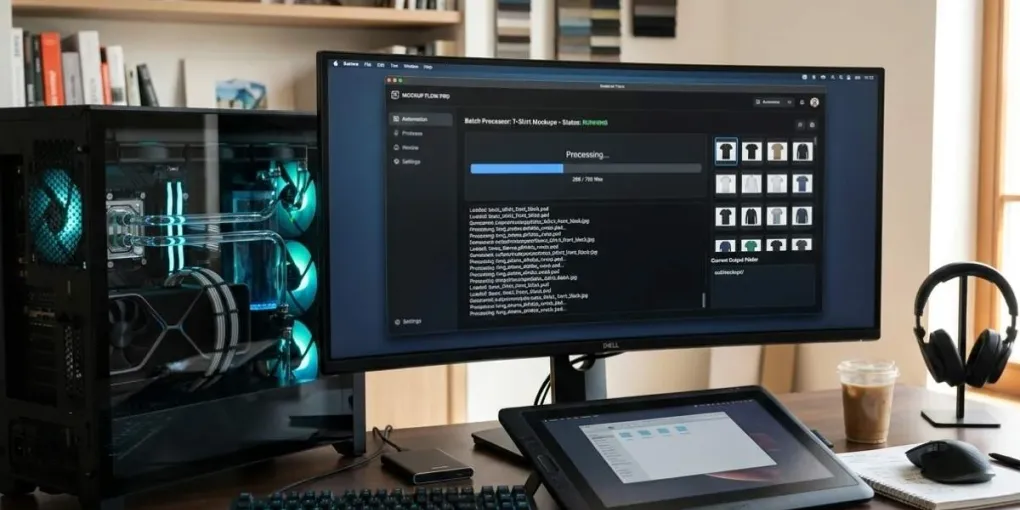
At this volume, manual asset creation destroys profitability. Manually opening Photoshop, importing a design, adjusting layers, exporting the JPEG, and organizing file directories for hundreds of variations is an operational bottleneck. To dominate high-volume marketplaces without sacrificing creative quality, serious sellers must transition to localized PSD automation. By leveraging tools like BulkMockup, advanced operators bypass cloud rendering limitations and process thousands of high-converting mockups directly from their desktop hardware.
For a complete overview of BulkMockup’s features and pricing, check our BulkMockup review 2026.
The Challenge of Complex Niches at Scale
Scaling a POD enterprise requires a deep understanding of niche aesthetics and micro-targeted audiences. Consider a real-world scenario involving a highly specialized apparel collection: a “Dark Academia” line featuring intricate vintage woodcut illustrations. This catalog relies on complex, fine-line designs with titles like “The Archivist Necromancer” or “The Interlibrary Summoner.”
For this specific niche, maintaining strict brand standards is essential for conversion. These detailed, vintage-style graphics only resonate with the target demographic when printed on dark, moody garments. The collection must be restricted exclusively to apparel colors like Black, Charcoal, and Deep Navy. White or pastel support materials completely ruin the gothic, scholarly aesthetic and lead to poor customer reviews.
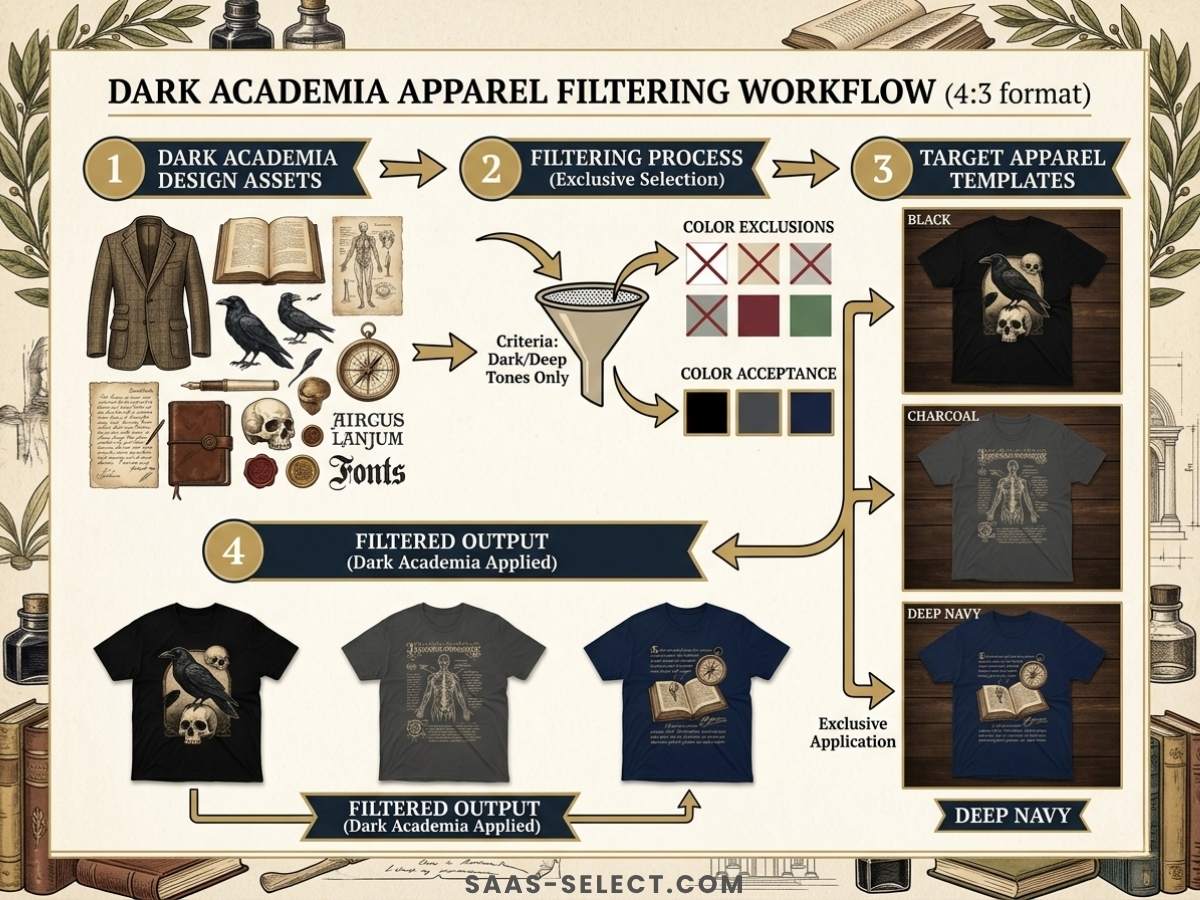
When managing a manual workflow, scaling this Dark Academia collection across premium t-shirts, crewneck sweatshirts, and heavy hoodies presents a nightmare. A seller must manually align the artwork for every single garment color and size variation. For a catalog expansion of 500 designs across three garment types and three colorways, that translates to 4,500 individual manual actions in an image editor. The time required makes rapid market testing impossible.
Automating the Perfect Listing with BulkMockup
To solve this scaling crisis, top-tier sellers utilize BulkMockup to execute localized batch processing — reading structured folder systems and applying design files to master PSD templates automatically, with template-level rules (garment centering, safe zones around pockets and seams) enforced consistently across every export. Getting that Smart Object setup right is a one-time, technical task, not a scaling decision, so we’ve kept the full step-by-step mechanics in a dedicated piece: our BulkMockup automation guide covers the folder structure, template configuration, and batch execution in detail. Come back here once that’s built — this article is about what changes once you’re running that pipeline at real volume.
What Scaling Actually Looks Like, Week by Week
The jump from 50 to 5,000 listings isn’t a single push — it’s a curve, and knowing roughly where the bottlenecks move helps you plan for them instead of hitting each one cold. In the first phase (roughly 50 to 500 SKUs), template setup dominates: you’re building and testing your Smart Object rules, and that time investment is fixed regardless of catalog size, so it’s worth over-investing in getting it right early rather than rebuilding templates later. Past 500, the bottleneck shifts to metadata — writing distinct, non-duplicate titles and descriptions at volume becomes the slower step once mockup generation itself is automated. By the time you’re pushing toward 5,000, the real constraint is usually platform review queues and account health limits (Redbubble and Amazon both throttle how fast a single account can add new listings), not your own production speed at all.
That last point matters enough to plan around directly: batching your BulkMockup output faster than a marketplace will actually let you list it doesn’t save time, it just creates a backlog of finished mockups waiting on a platform-side queue. Check each marketplace’s daily or weekly listing limits before you commit to an aggressive production schedule.
Managing Metadata for Cross-Platform Uploads
Generating high-quality visual assets is only one part of the operational equation. To successfully execute a strategy focused on scaling Merch by Amazon and expanding on Etsy, you must manage the accompanying listing metadata with extreme precision. Uploading massive design batches requires organized CSV files containing targeted titles, descriptions, and keyword tags tailored to each platform’s unique algorithm.
Preparing your metadata sheets locally alongside your automated image generation ensures that your listings remain completely platform-compliant. However, cross-platform distribution requires strict data sanitization. Every marketplace has distinct guardrails regarding optimization, and ignoring these rules can lead to suppressed listings or permanent account suspensions.
| Platform | Optimization Focus | Tag / Keyword Limits | Key Risk Factor |
|---|---|---|---|
| Etsy | Visual aesthetic, long-tail tags, exact phrases | 13 tags per listing | Keyword stuffing in titles |
| Merch by Amazon | Brand name, bullet points, search intent | 2 key product features | Trademark infringement phrases |
| Redbubble | Artist discovery, broad semantic tags | Strict 15-tag cap | Spam tagging causing account bans |
For instance, when exporting your metadata sheet from your local database to upload to platforms like Redbubble, you must ensure your automation caps at strictly 15 tags per design to avoid account bans. If your local master sheet contains 25 tags optimized for Etsy’s algorithm, pushing that raw, unsanitized data to other marketplaces triggers spam filters.
For a deeper dive into Redbubble’s tagging system, read our 15-tag hierarchy guide.
Local Power vs Cloud Convenience, at Scale
The local-vs-cloud trade-off itself is covered in depth in our BulkMockup review, including the current 2026 pricing (it’s a subscription now, not the one-time purchase some guides still describe). What’s specific to scaling: at low volume, the difference between local and cloud rendering barely registers. Past a few hundred SKUs, it compounds — a cloud tool’s per-render credit ceiling starts colliding with your actual catalog size right around the point where you need it least to fail, mid-launch. That’s the real argument for local processing at scale, more than raw cost.
Frequently asked questions
Can BulkMockup scale a POD catalog to thousands of listings?
Yes. BulkMockup processes designs in bulk by reading structured folder systems and applying them to master PSD templates. A typical workflow can generate 500+ mockups in under 30 minutes, compared to 20+ hours manually.
Does BulkMockup work for Etsy and Redbubble listings?
Yes. BulkMockup generates standard JPEG or PNG mockups that work with any platform. For automated listing publishing, pair it with MyDesigns to push your mockups and metadata directly to Etsy, Shopify, or Redbubble.
What's the difference between BulkMockup and cloud-based tools?
BulkMockup runs locally on your hardware — no per-render credit ceiling, and full native Photoshop rendering quality. Cloud tools are easier to start with but cap output quality and charge recurring fees. BulkMockup is also a subscription as of 2026 ($15/mo or $77/yr) plus the Photoshop license it depends on — see our BulkMockup review for the full cost breakdown before assuming it's a one-time cost.
How do I manage metadata for bulk listings with BulkMockup?
Use a master spreadsheet to track titles, descriptions, and tags. When exporting to platforms like Redbubble, cap your tags at 15 to avoid spam penalties. For Etsy, focus on long-tail keywords and visual aesthetics. Metadata preparation is separate from mockup generation but equally critical.
More from this series
Tools mentioned in this guide